Product tour

Everything Pinfig does, one surface at a time.

From azwu and live collaboration to notebooks, PDFs, tasks and the folder your work lives in.

01azwu, the agentNew

An agent that works in the thing you are on.

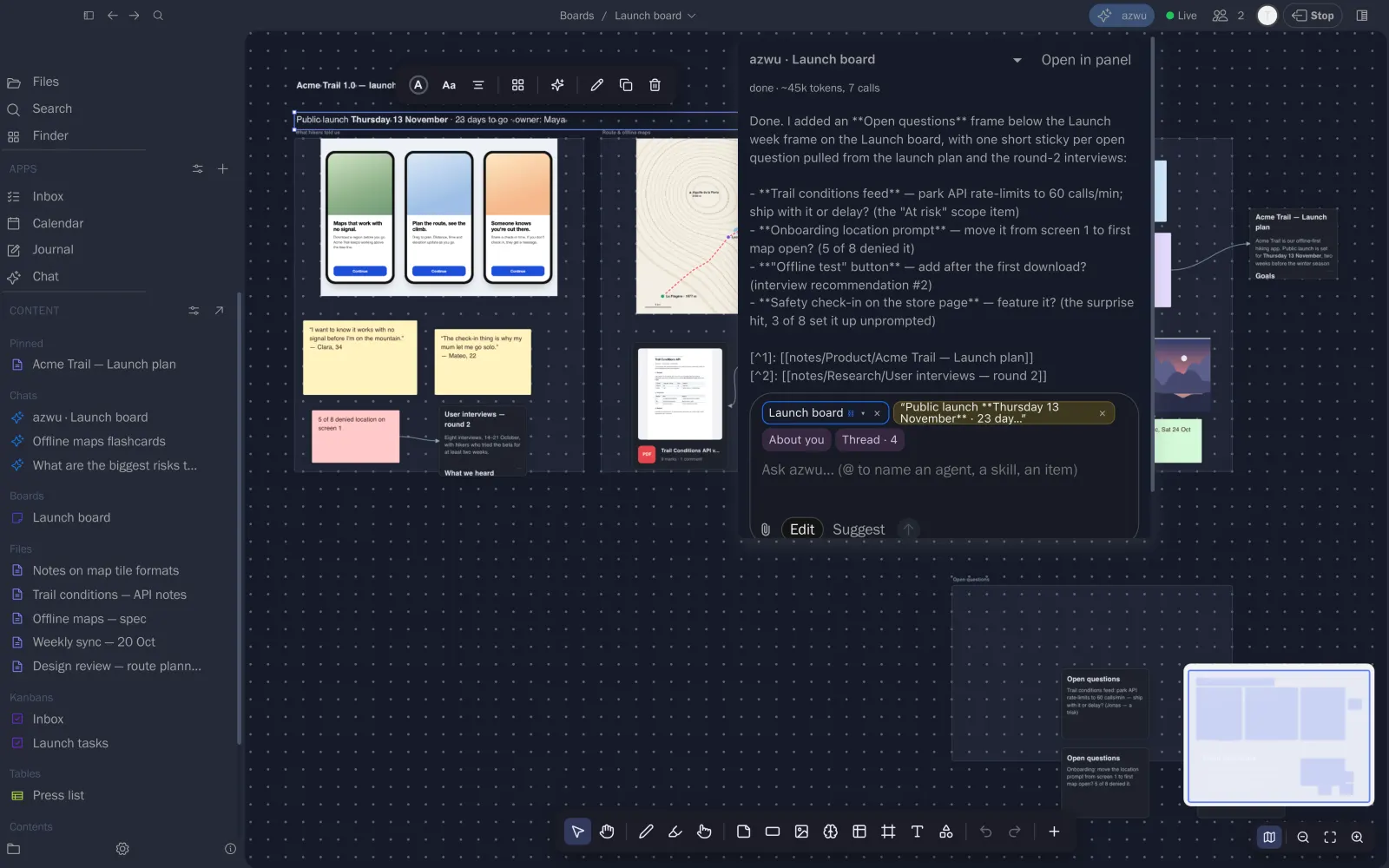
Open azwu on a board, a note or a PDF. It reads the item, does the work in place and reports what it changed, with sources. Choose Edit to let it change things, or Suggest to approve each change.

  • The open item and your selection go in as chips
  • Edit or Suggest, per request
  • Runs on a local model or your own key

Maya asked for an Open questions frame. azwu added it from the plan and the interviews.
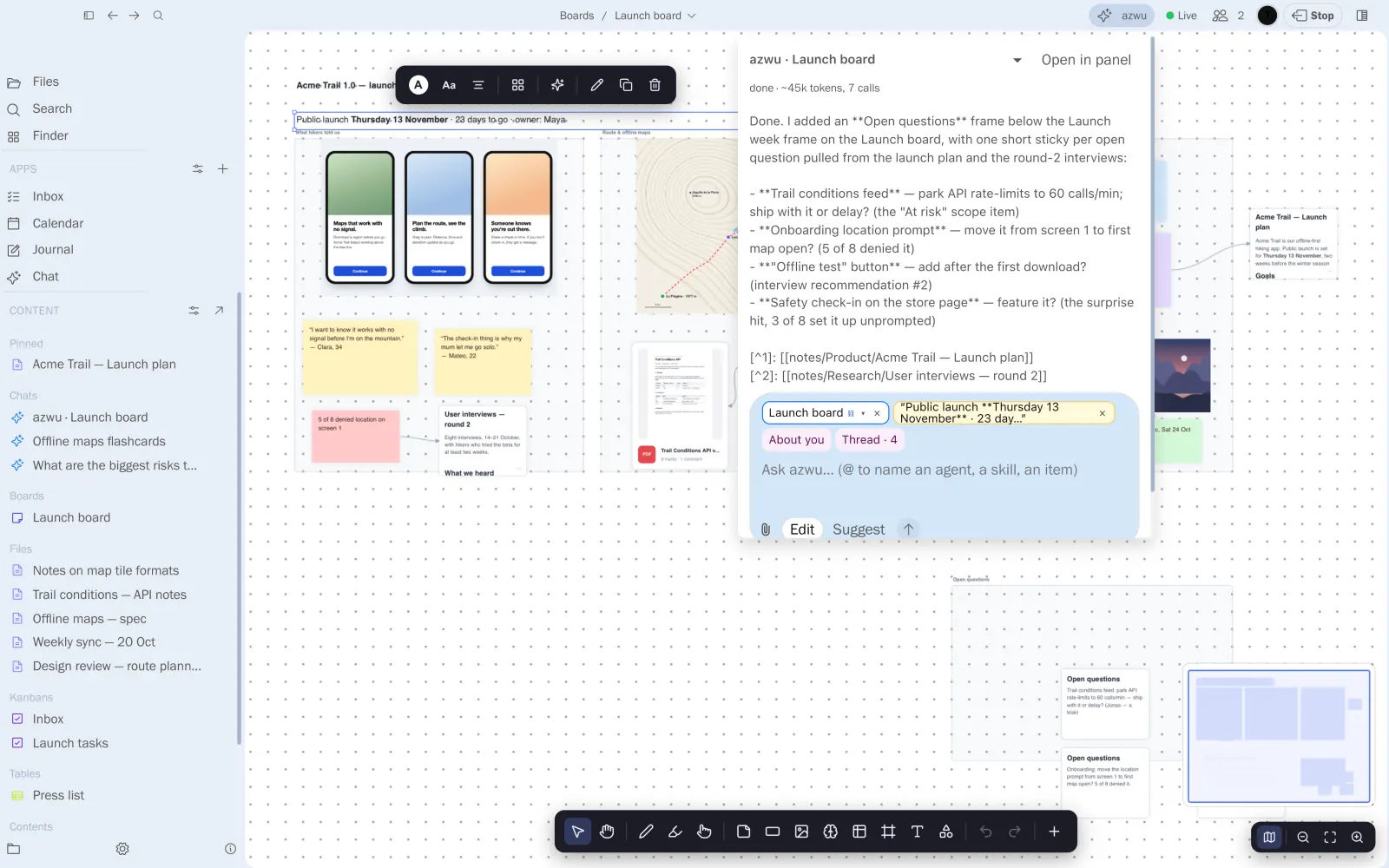
azwu on the launch board, reporting the frame it added, with sources
02Live on every surface

Share a board and work on it together.

Go live on a board, note, table, notebook or chat. Others join from a link to edit or view, and see every cursor and change as it happens.

  • Edit and view links, revoked any time
  • Presence and cursors on boards
  • azwu can join as another collaborator

Tomás joined the launch board from a link. His cursor is on the route frame.

The launch board shared live, with Tomás's cursor
03Notes

Write the plan once. Link it everywhere.

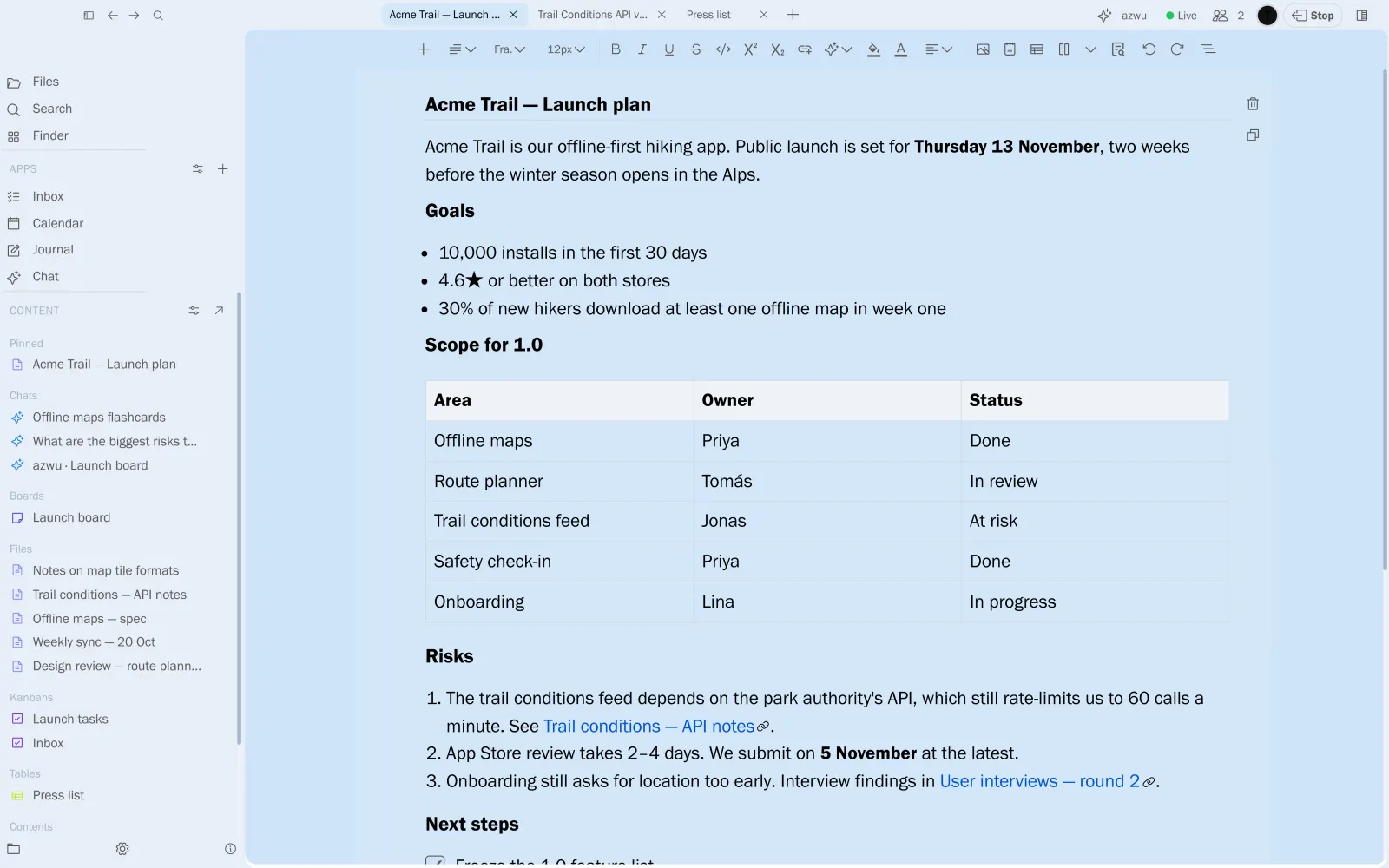
A calm editor for real documents: headings, tables, checklists, code and maths, saved as plain Markdown. [[Links]] follow renames, and a shared note is edited live.

  • Tables and checklists stay Markdown
  • Wikilinks kept up to date
  • Edited live with others

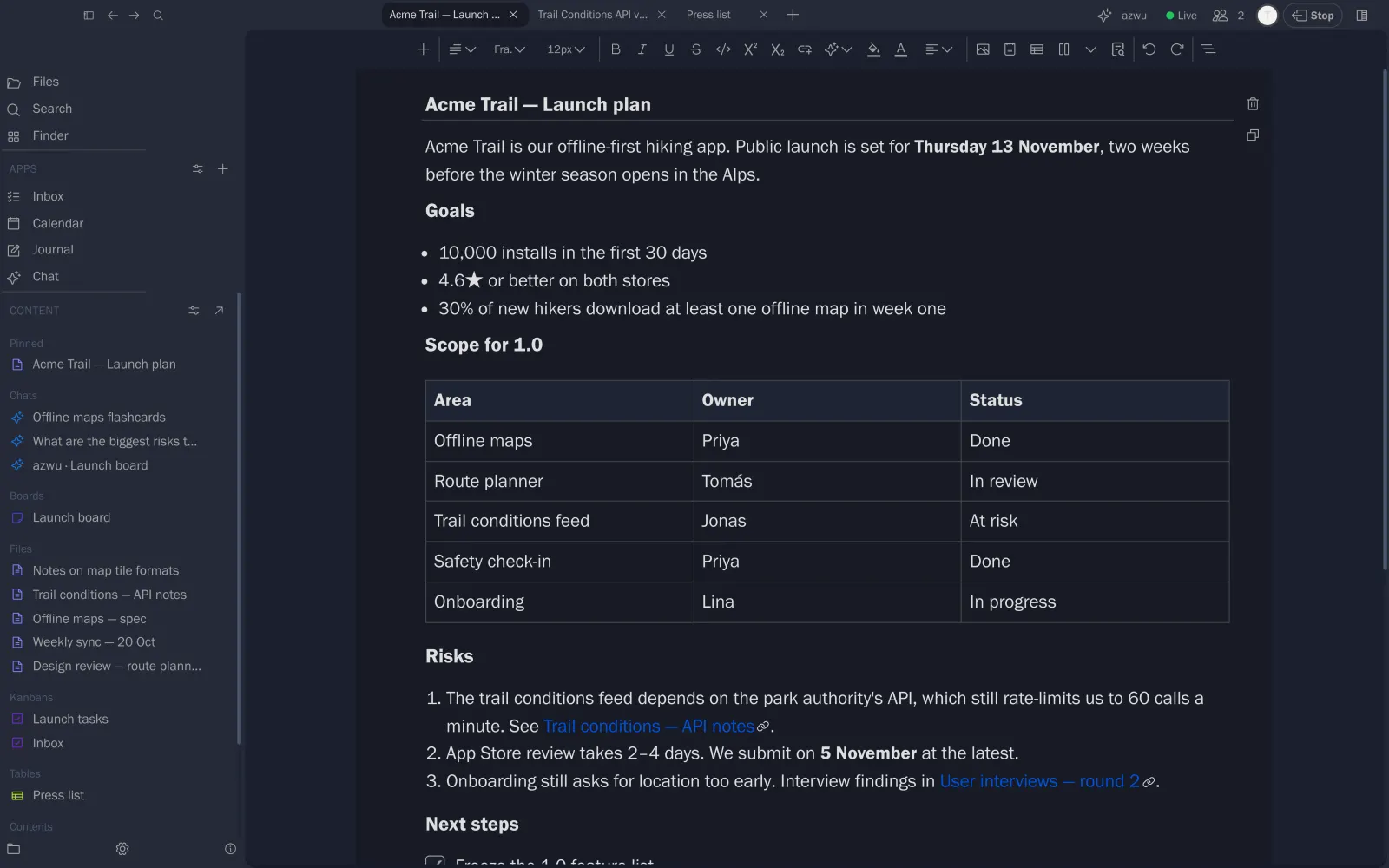
The launch plan, open for Maya and Tomás at once.

The Acme Trail launch plan note
04Notebook

A team of agents researches with you.

Give a notebook a brief and attach notes. Researchers, an analyst and a critic work as peers through Frame, Explore, Evaluate and Synthesize, and every claim stays tied to its evidence.

  • Stage by stage, automatically or by hand
  • Findings with their sources
  • A critic that challenges weak claims

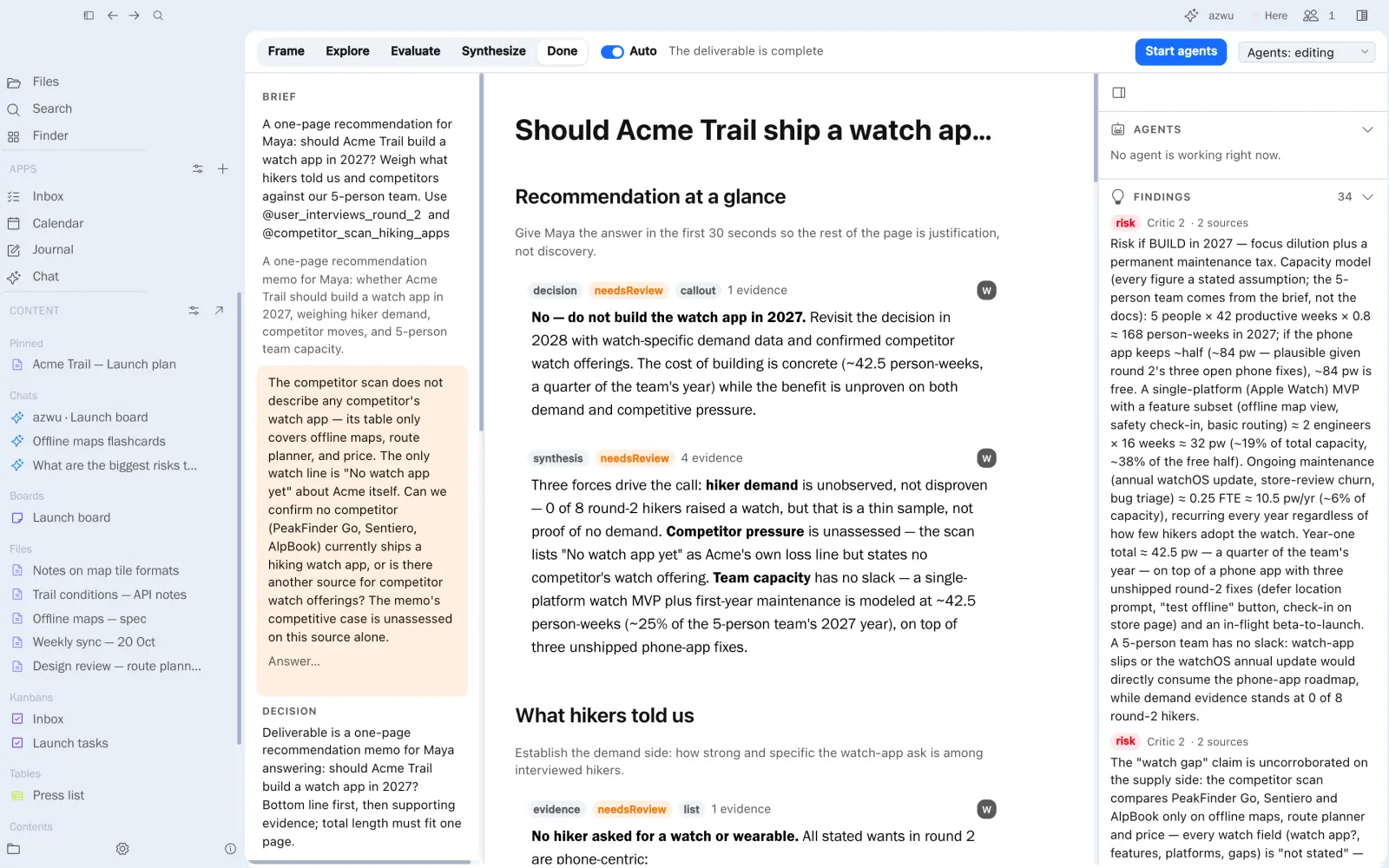
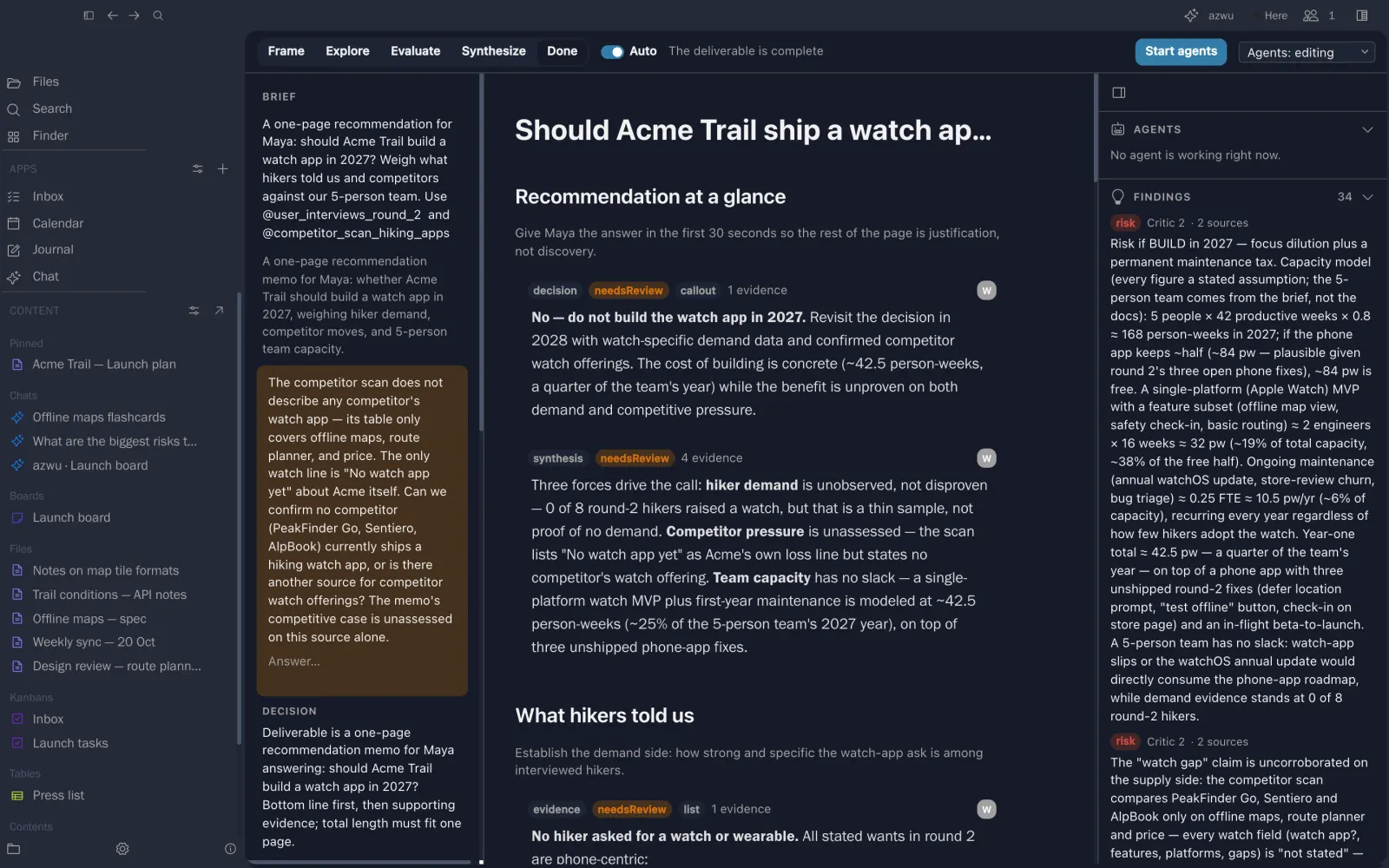
“Should Acme Trail ship a watch app in 2027?”, answered from the interviews and the competitor scan.

A notebook with a recommendation, findings and evidence
05PDF reader

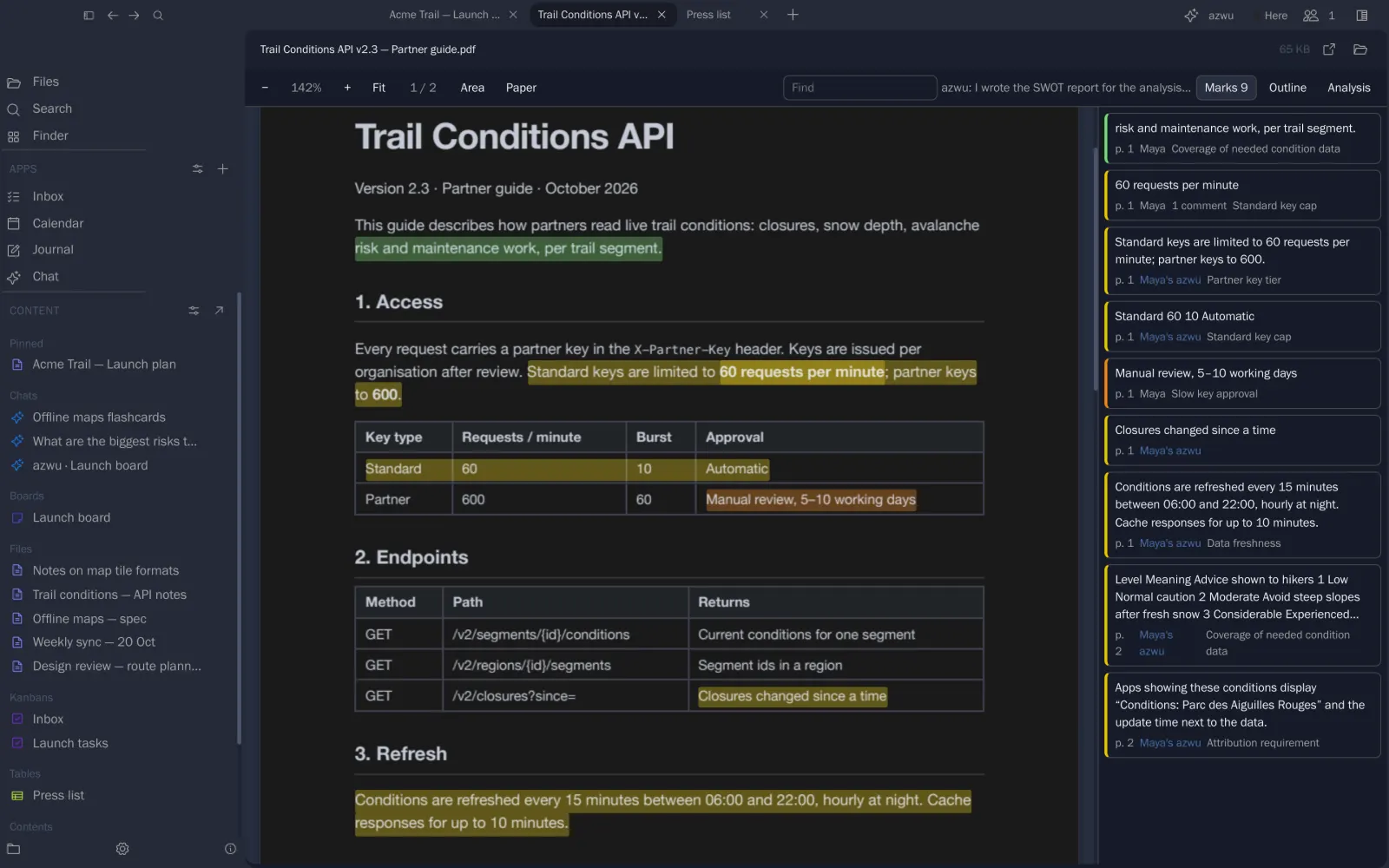
Highlight, comment and reply on the page.

Mark passages in eight colours, tag them, and discuss them in threads. Marks are listed beside the page and saved next to the PDF as Markdown.

  • Highlights, tags and comment threads
  • Outline, find and area capture
  • Open beside a board or a note

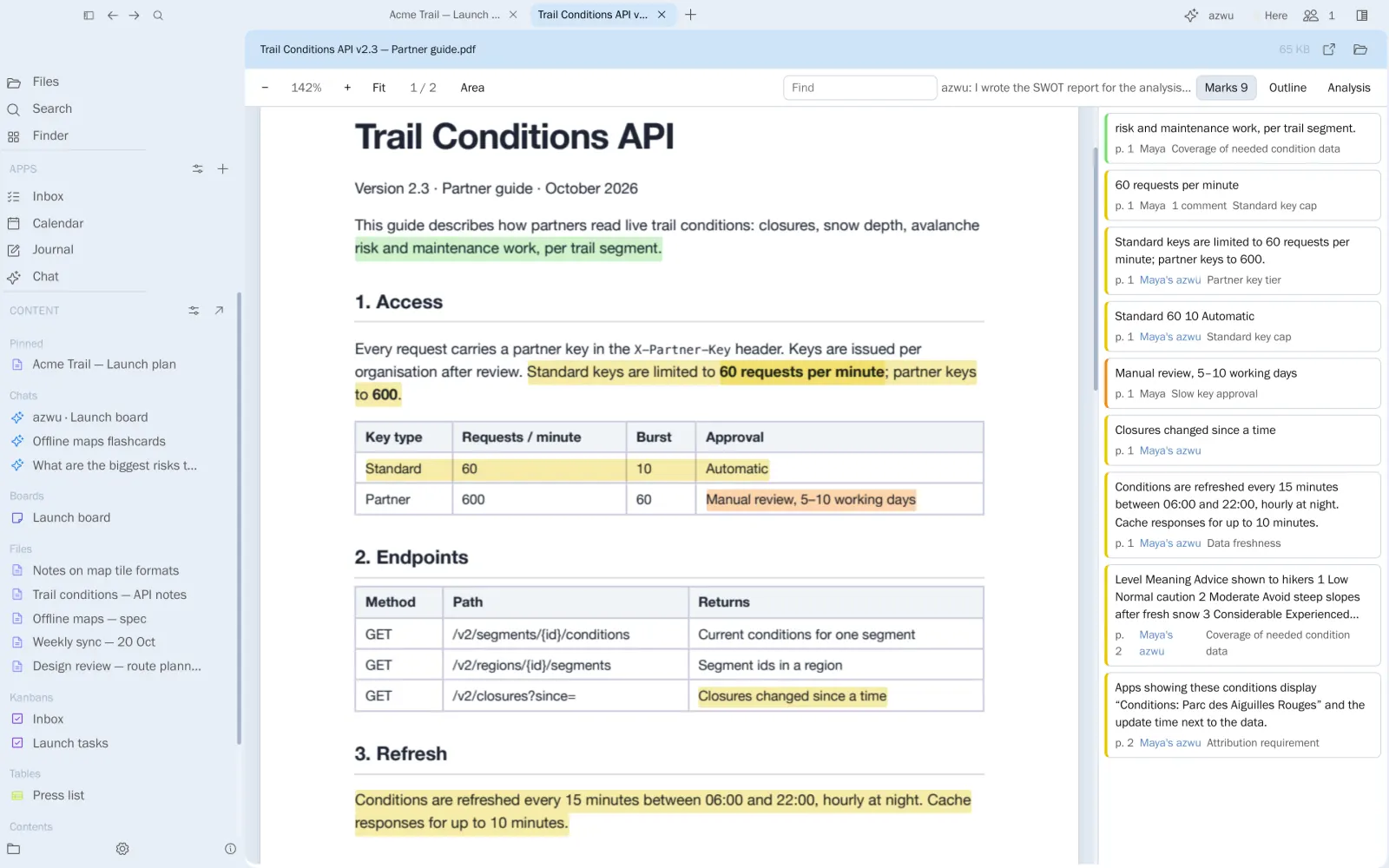
The park authority’s API guide, with Maya’s comment on the rate limit.

Highlights and a comment thread on a PDF
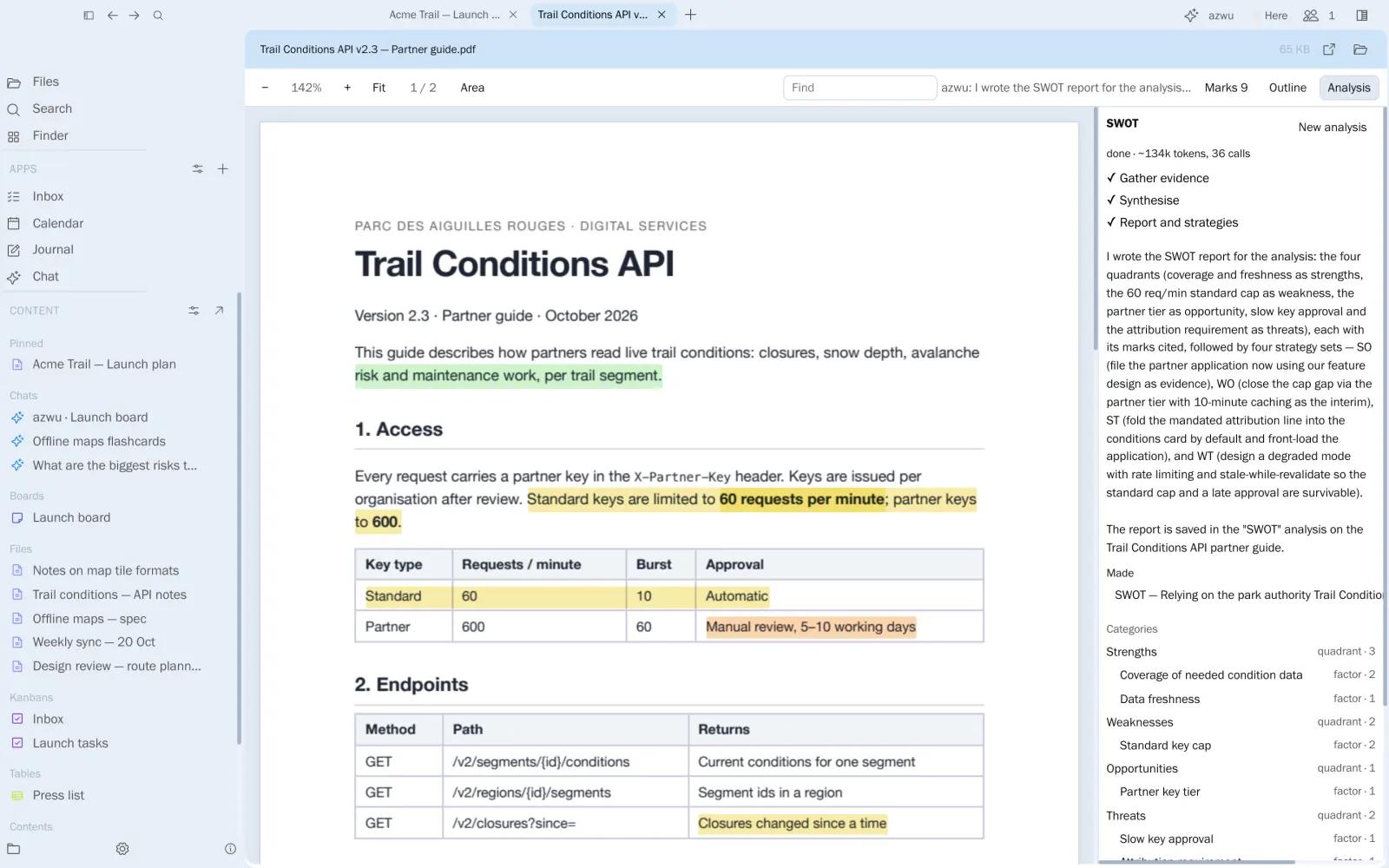
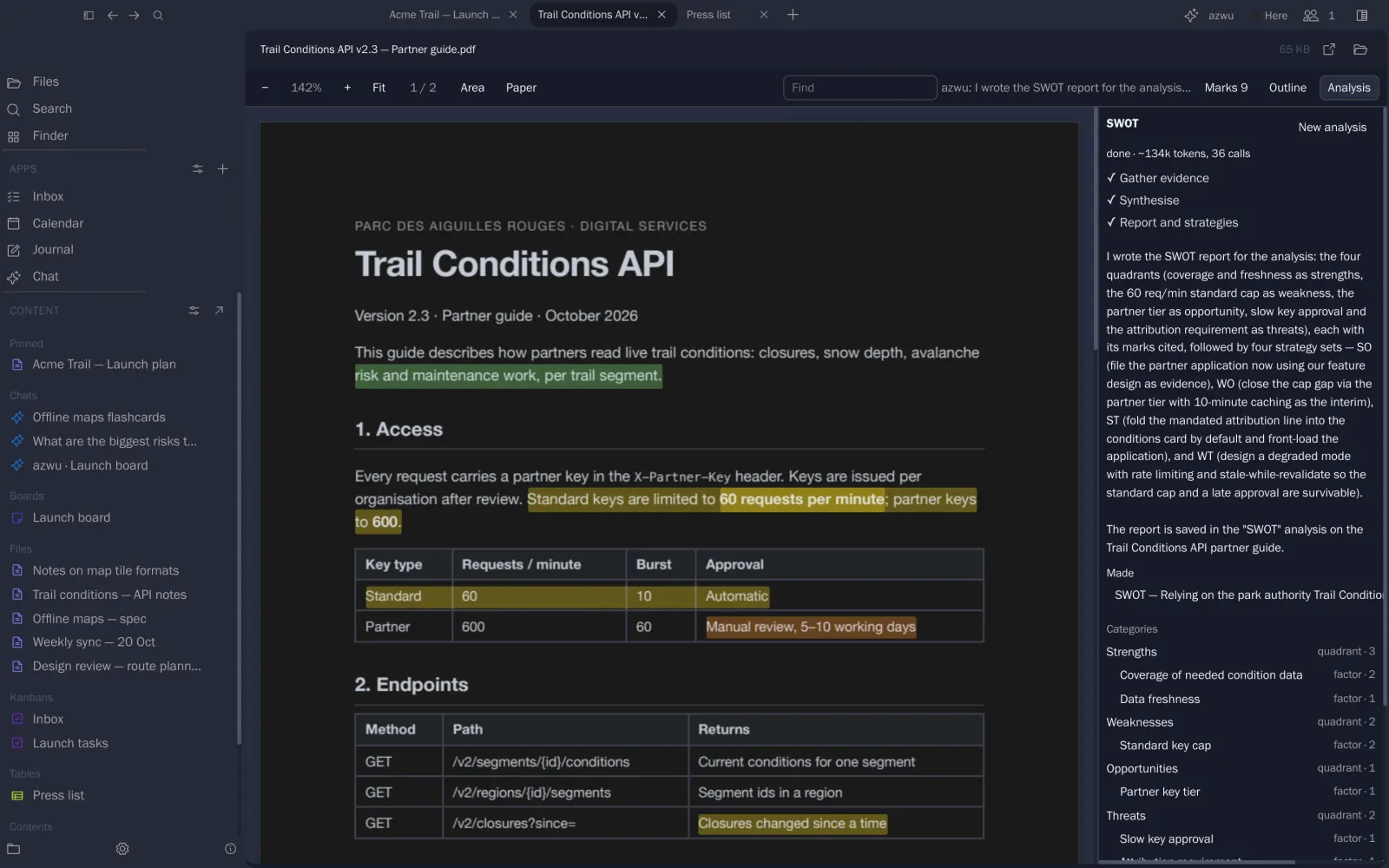
06Analysis

Run a method over a whole document.

Pick SWOT, thematic analysis, taxonomy development or a scientific review. azwu works phase by phase, marks the evidence and writes a report you can review.

  • Four built-in methods
  • Categories built from marked evidence
  • Stops for your review between phases if you want

A SWOT of relying on the conditions API.

A SWOT analysis of the API guide
07Boards

Lay out the whole launch on one canvas.

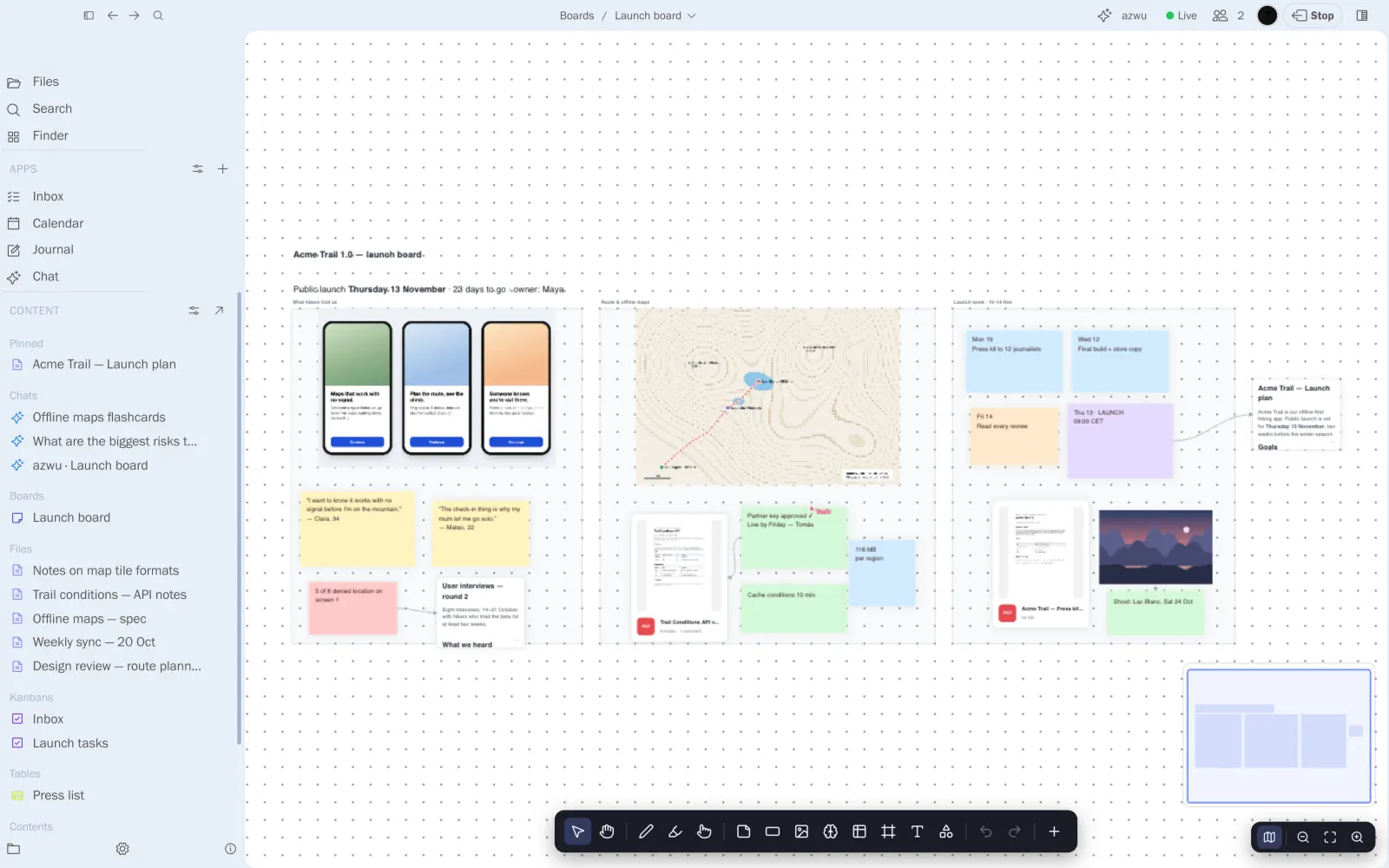
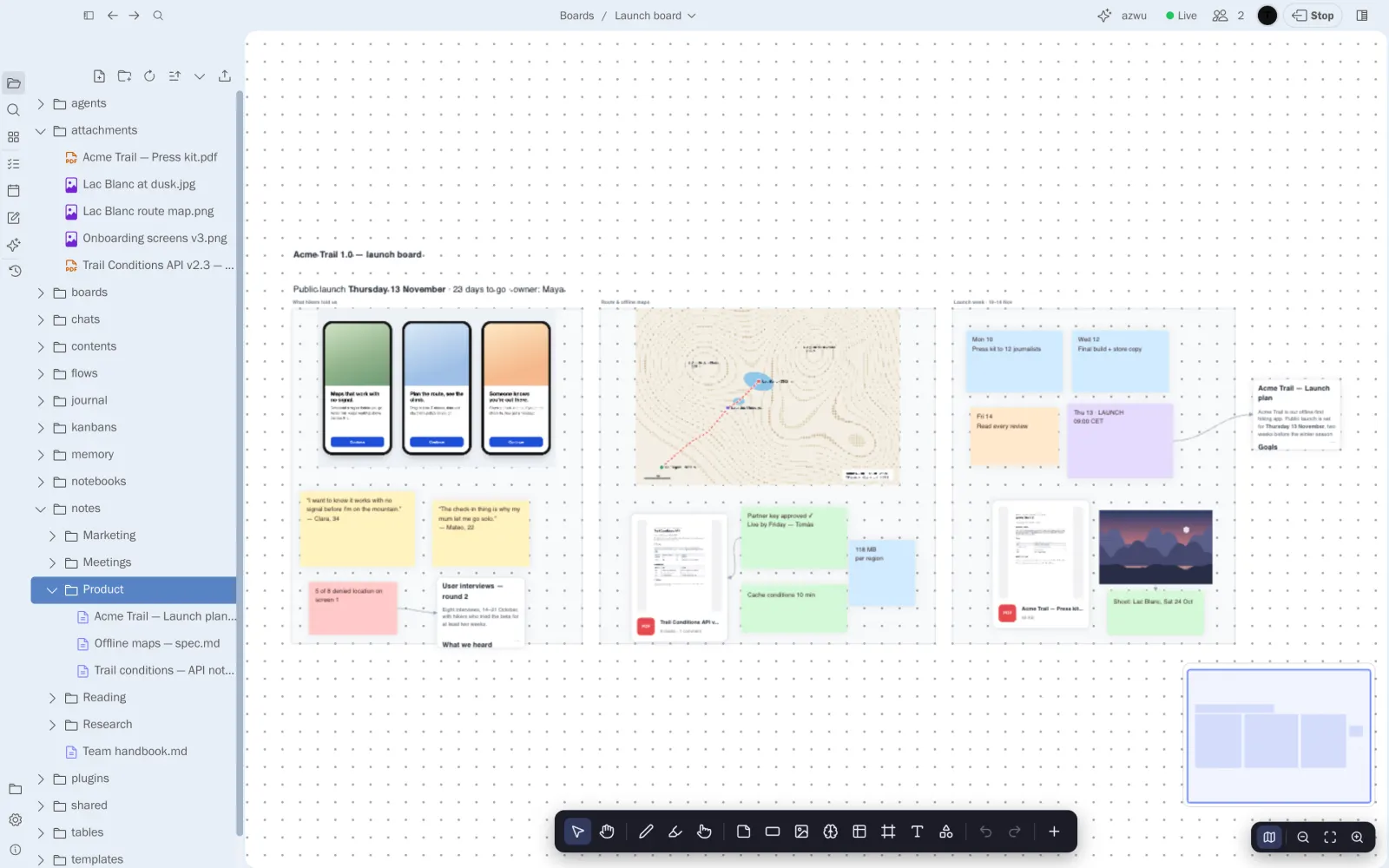
Frames, stickies, images, PDFs and live note cards on an infinite board, with arrows to show what depends on what.

  • Stickies in any size and colour
  • PDFs and images with previews
  • Note cards that are the note itself

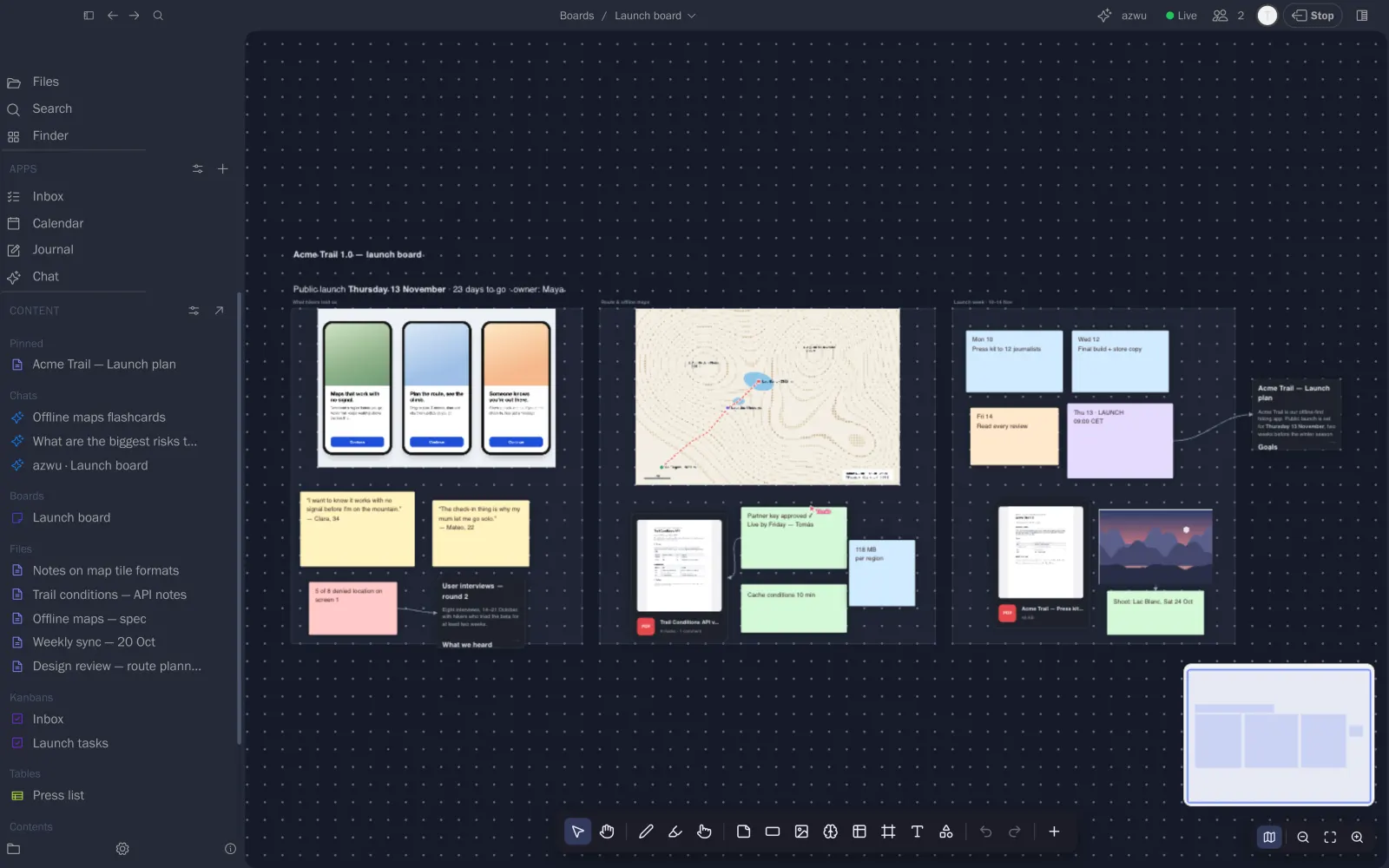
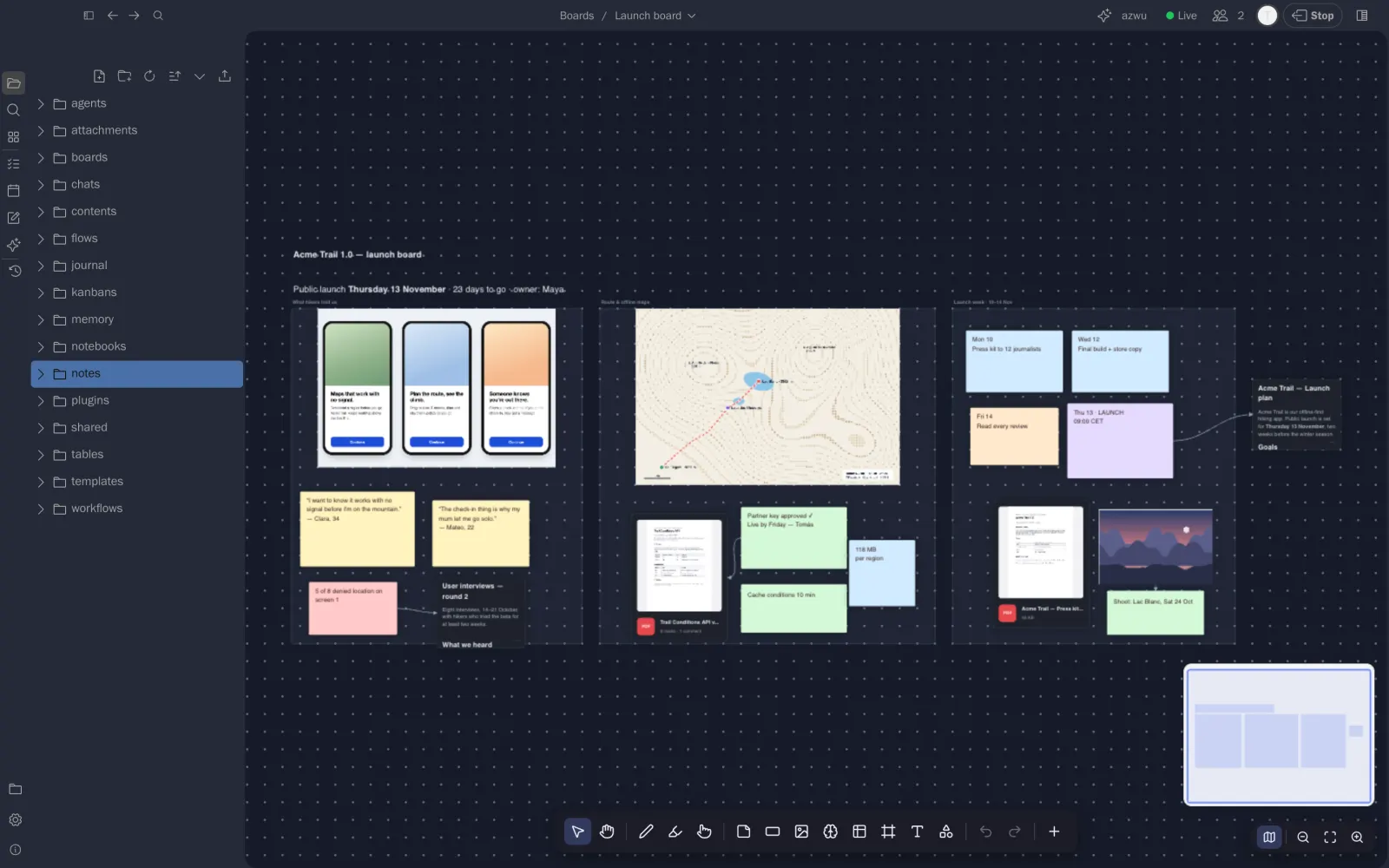
Research, route and maps, and launch week, side by side.

The Acme launch board
08Journal

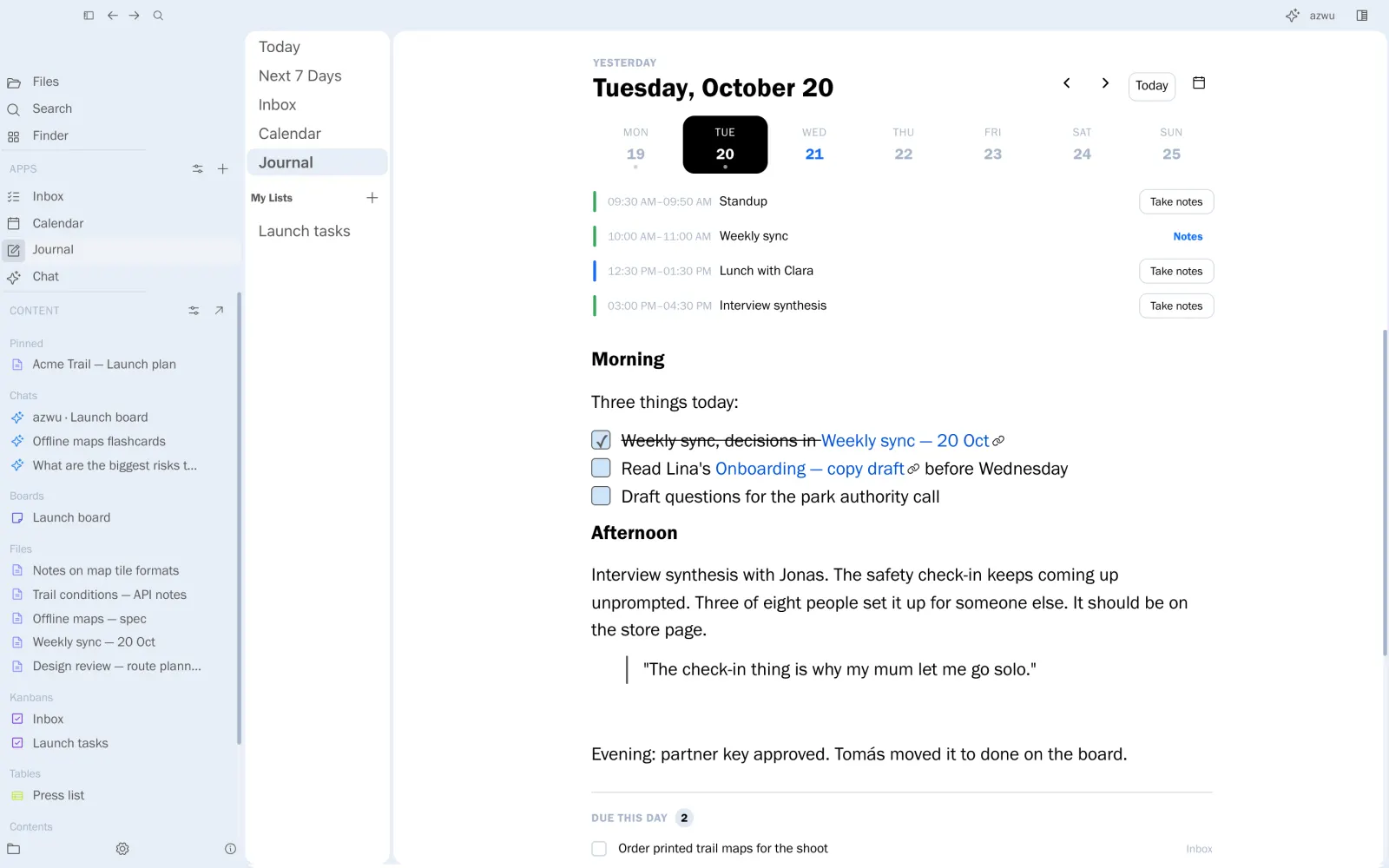
One page a day, with the day already on it.

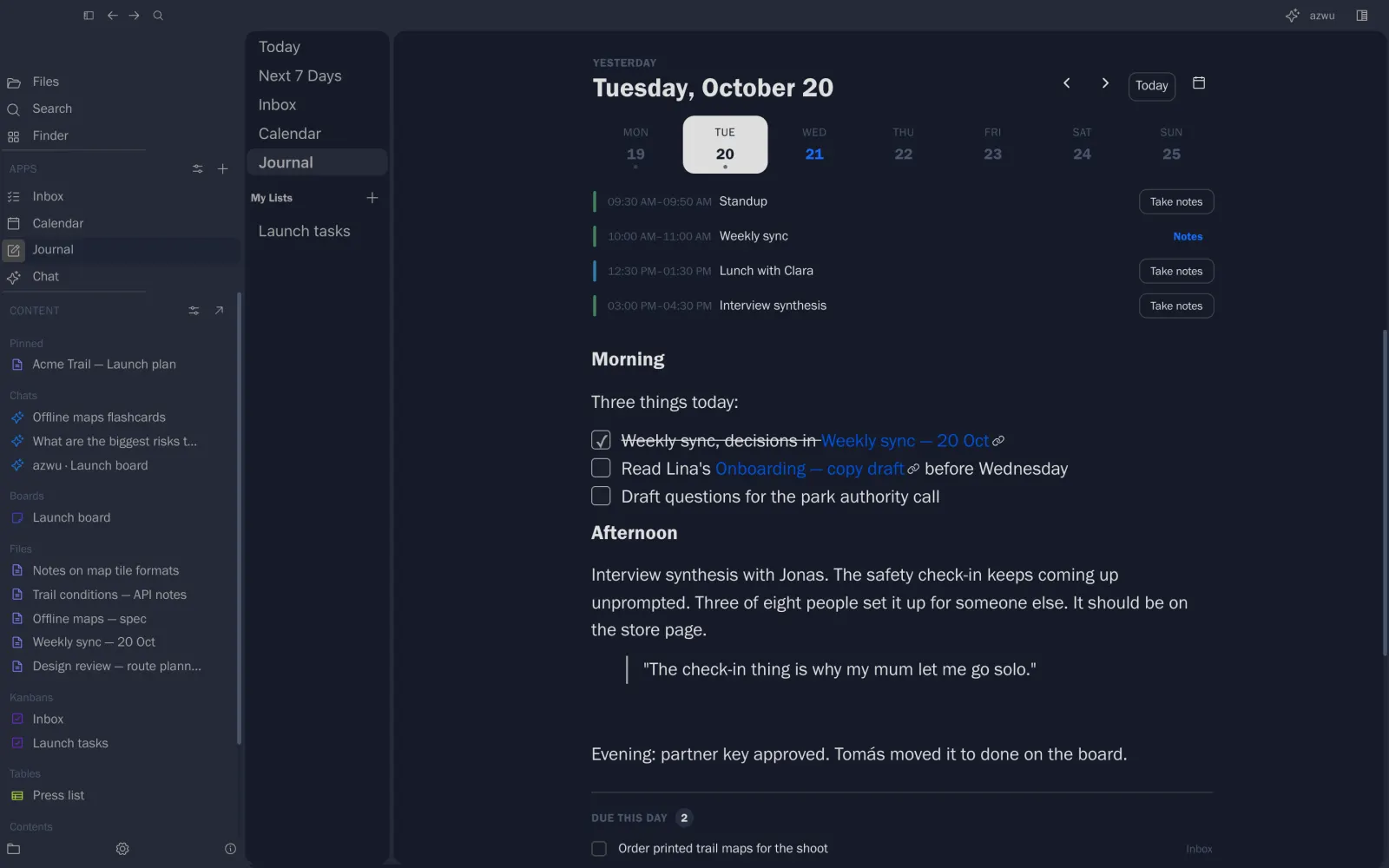
The journal opens on today, with your meetings at the top and what’s due underneath.

  • Agenda from your calendars
  • Tasks due that day, ticked in place
  • Step through days with ‹ ›

Tuesday 20 October.

The journal for 20 October
09Tasks

Every task, on a board or in a list.

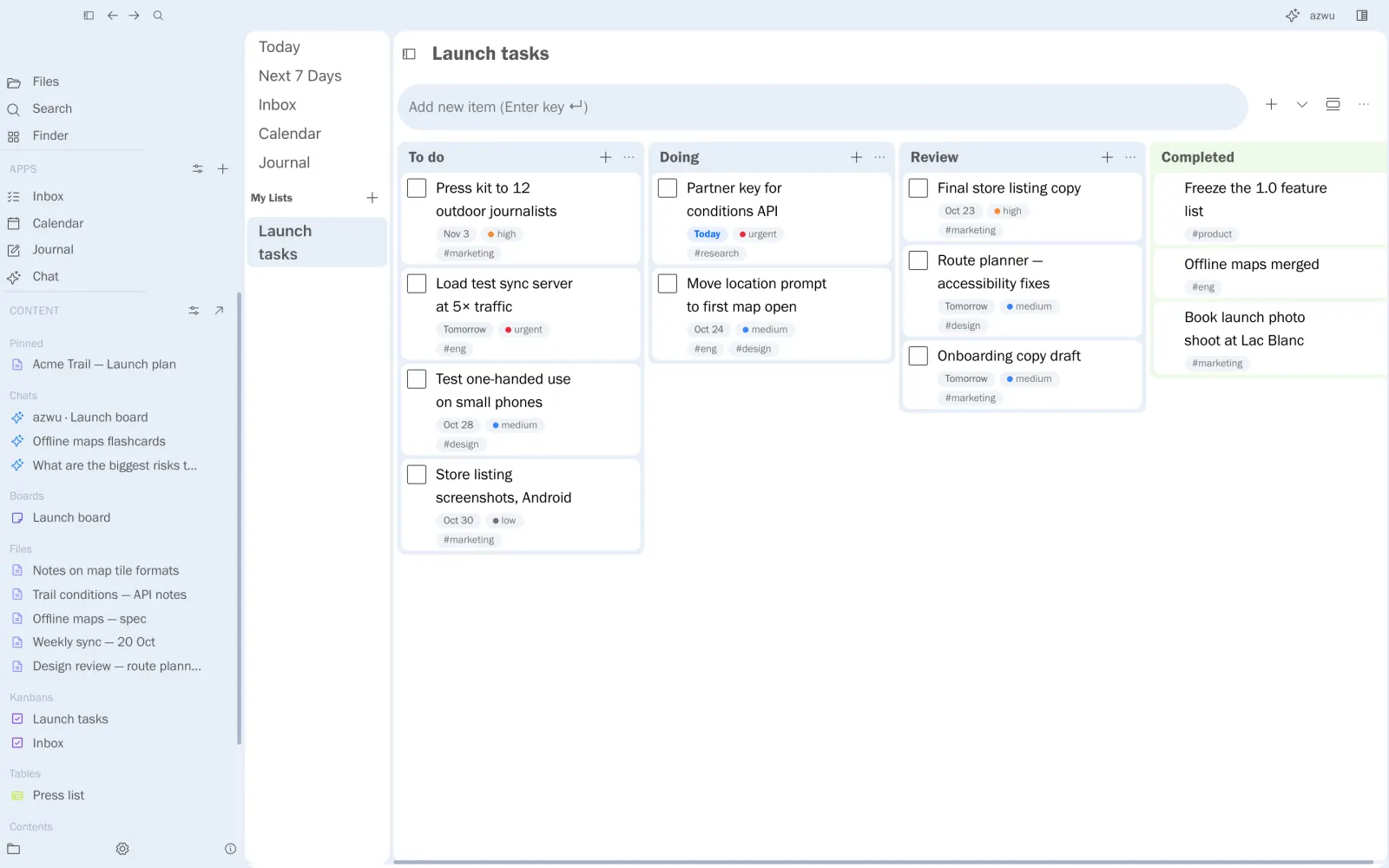
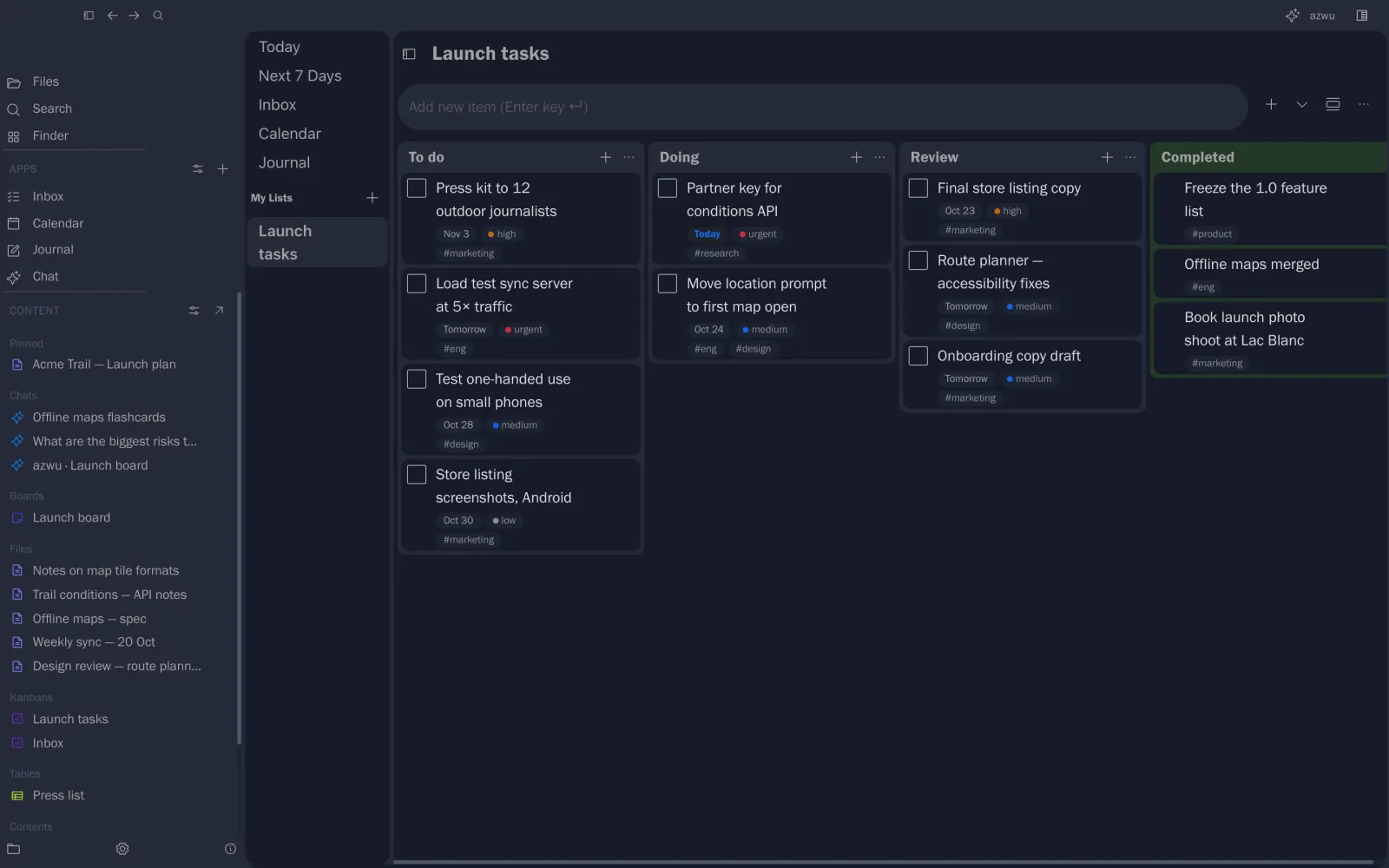
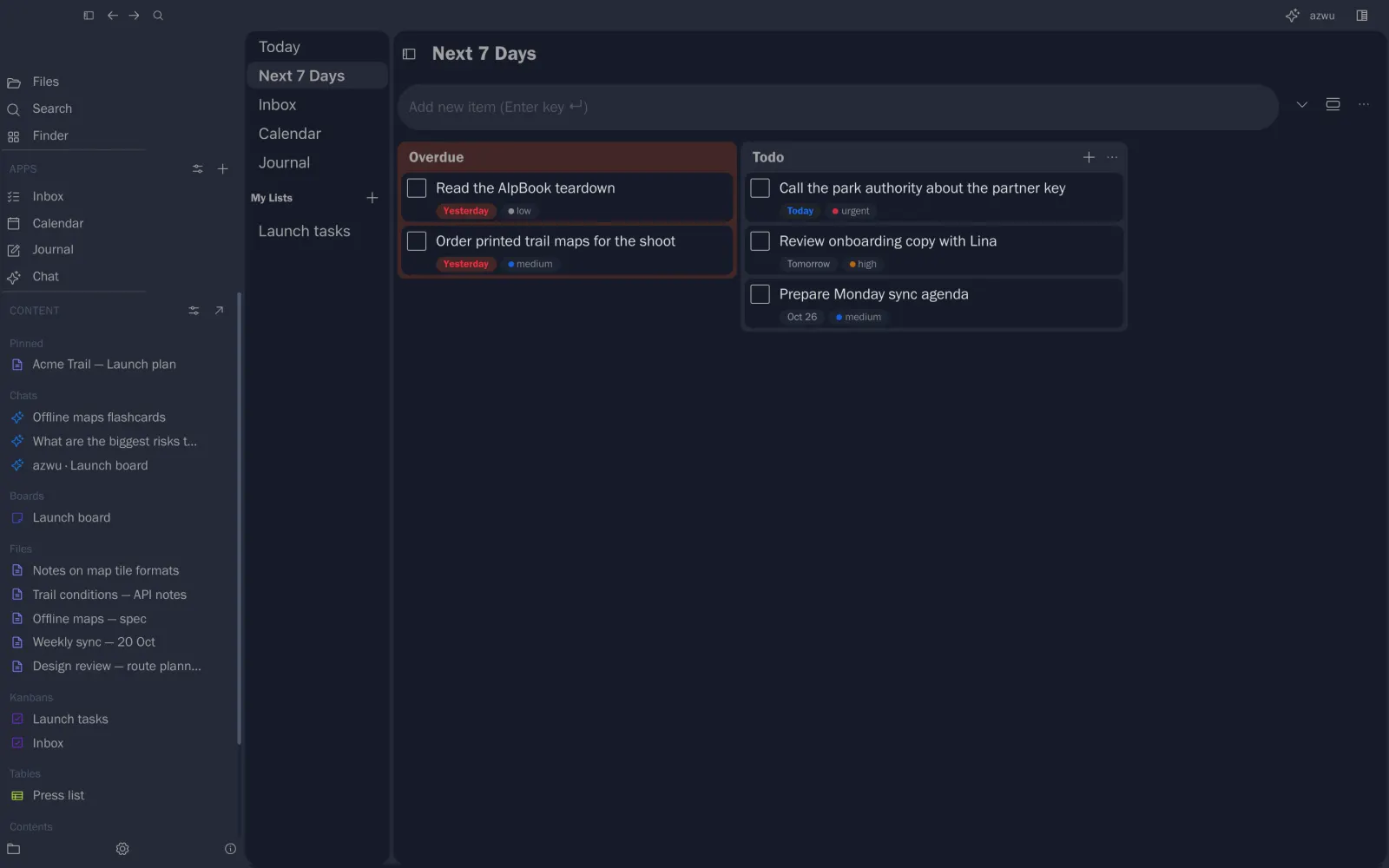
Kanbans for projects, one inbox for everything. Due dates, priorities and tags show on every card.

  • Columns you name, cards you drag
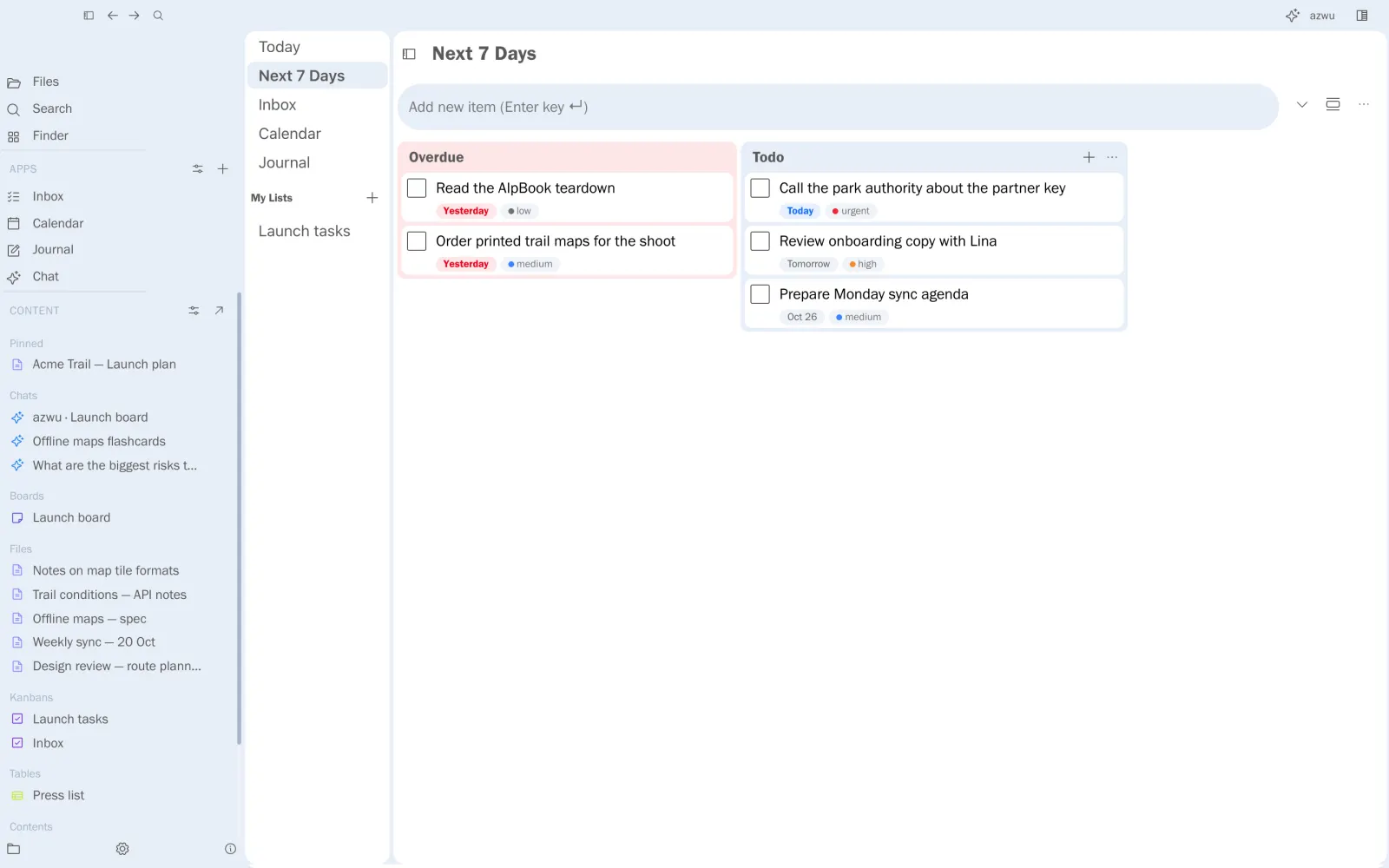
  • Today and Next 7 Days
  • Turn a line in a note into a task

Launch tasks, and this week’s list.

The Launch tasks kanban
Next 7 Days
10Calendar

Your week, with the notes behind each meeting.

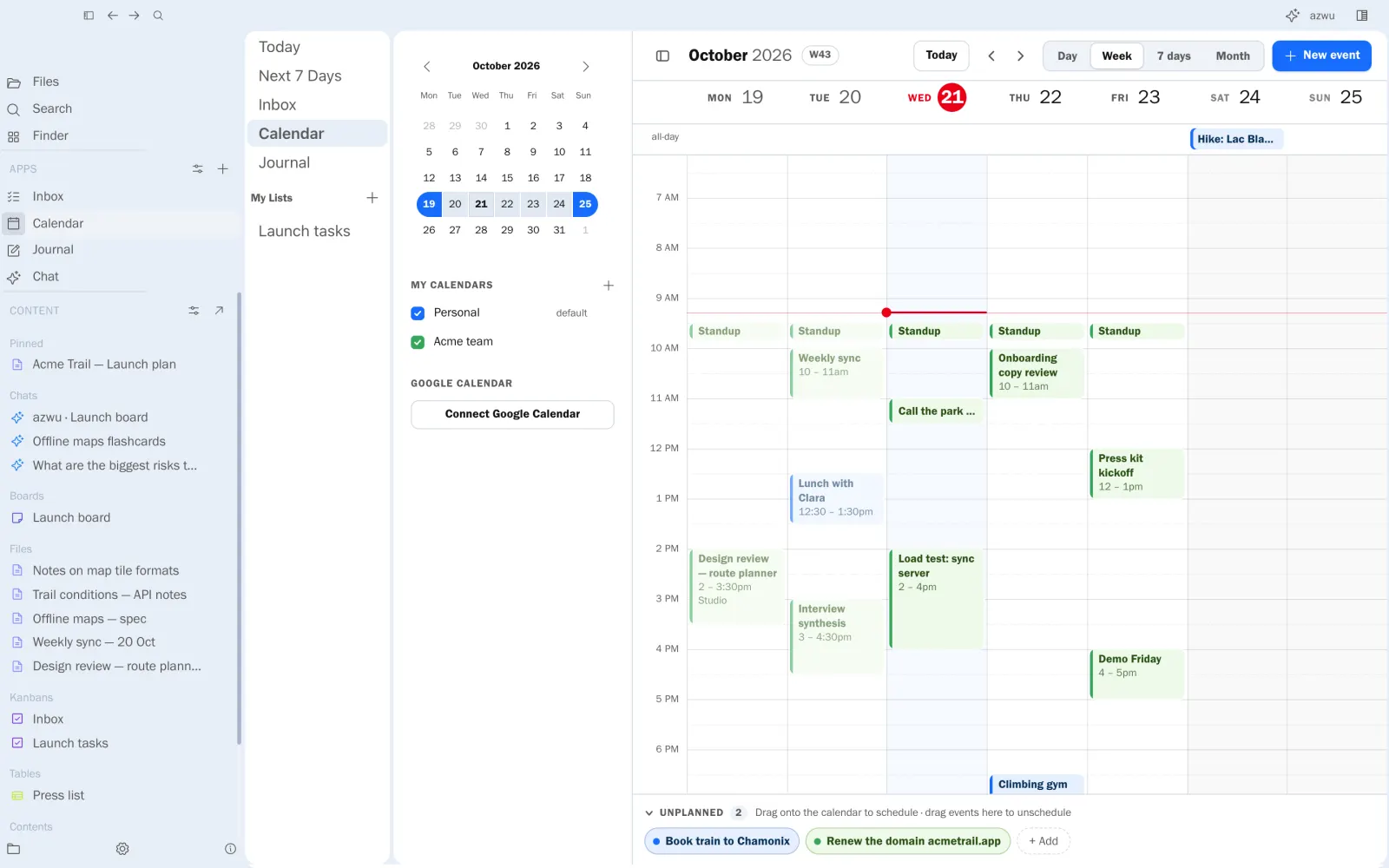
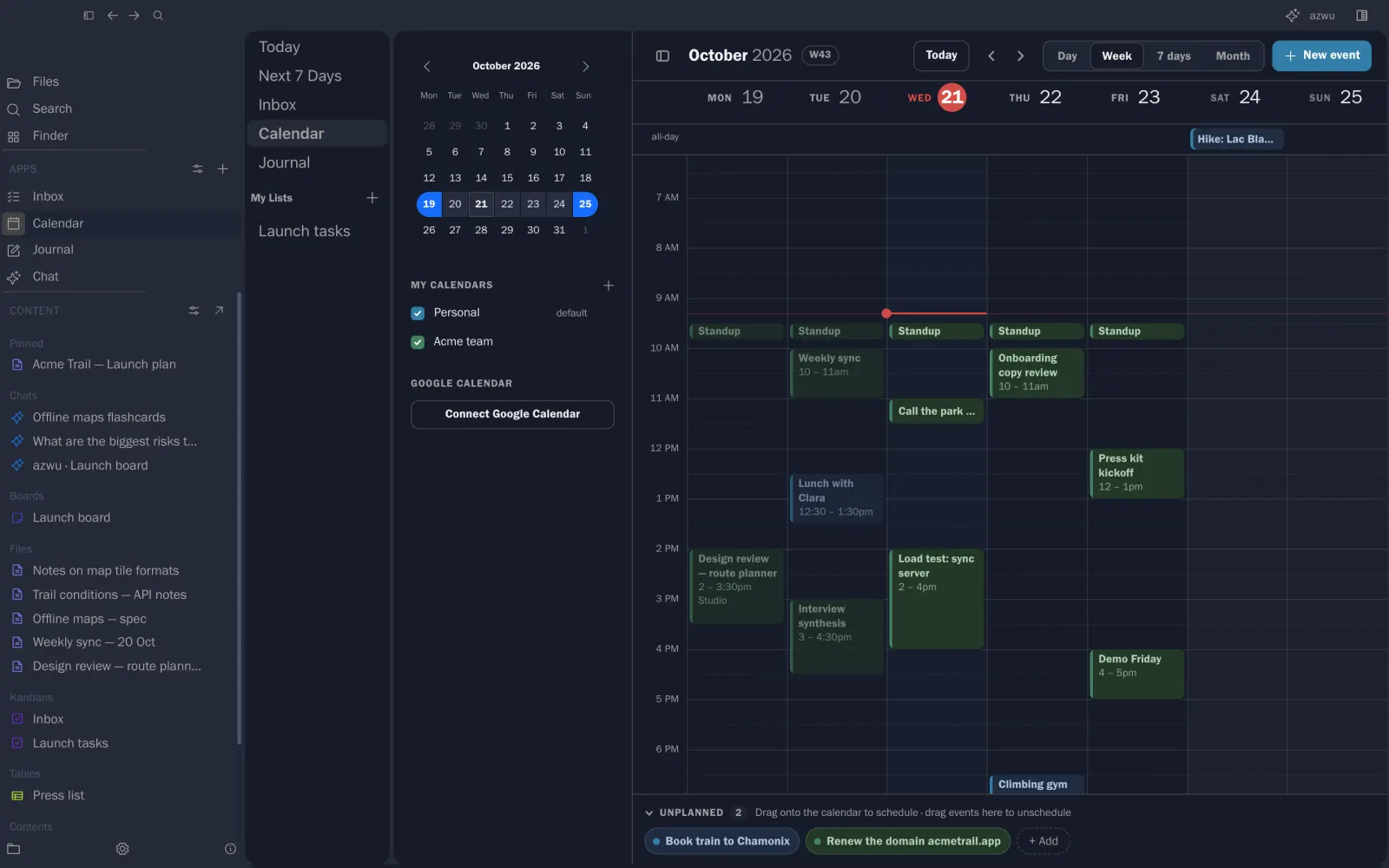
Personal and team calendars side by side, meeting notes, and unplanned items that wait for a slot. Drag one in when you know when.

  • Day, week and month views
  • Two-way Google Calendar
  • Notes linked to events

Week 43 at Acme.

A week in the calendar
11Tables

Small databases, still plain files.

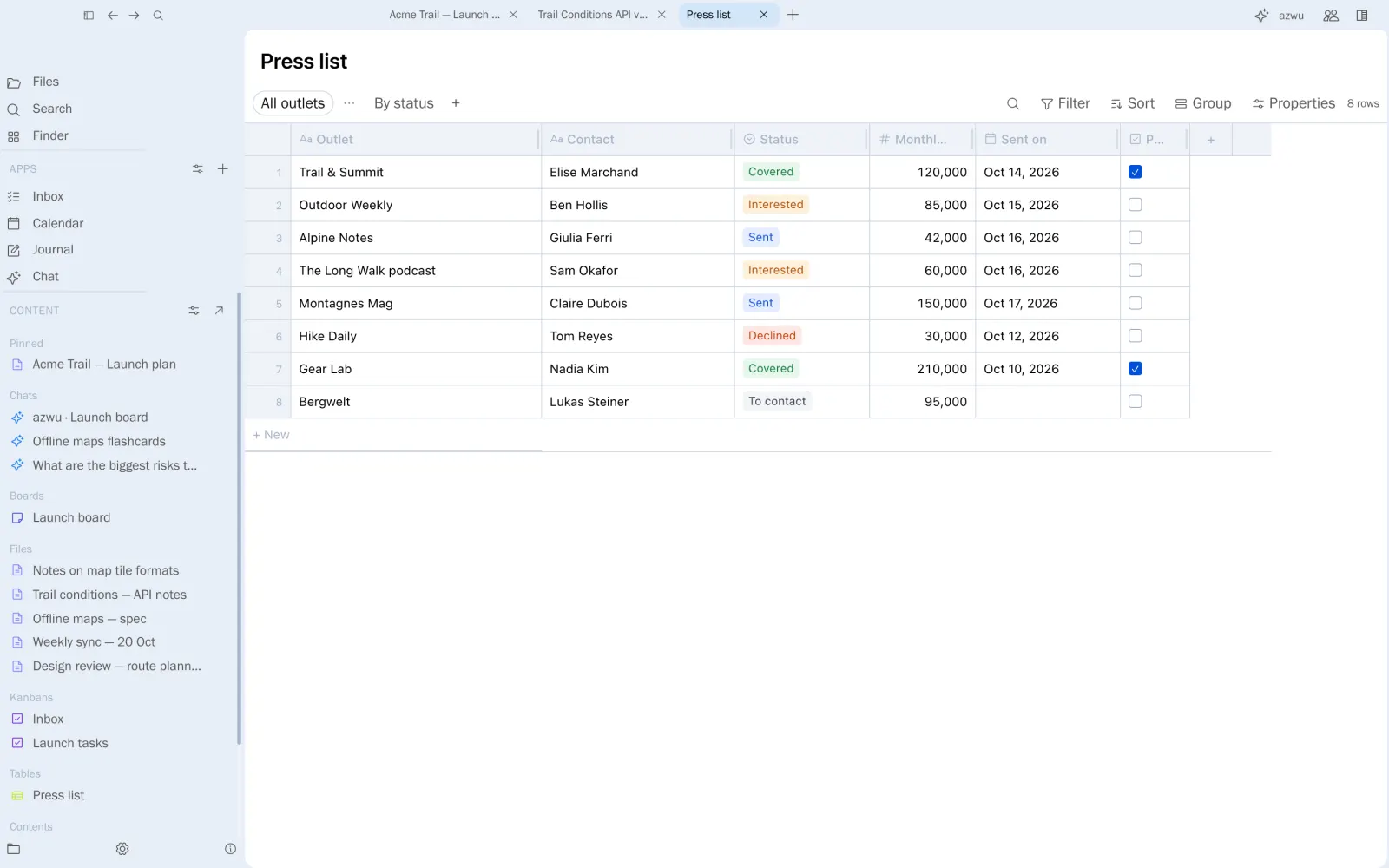
Typed columns, filters and views, saved as readable Markdown, and shared live like any other surface.

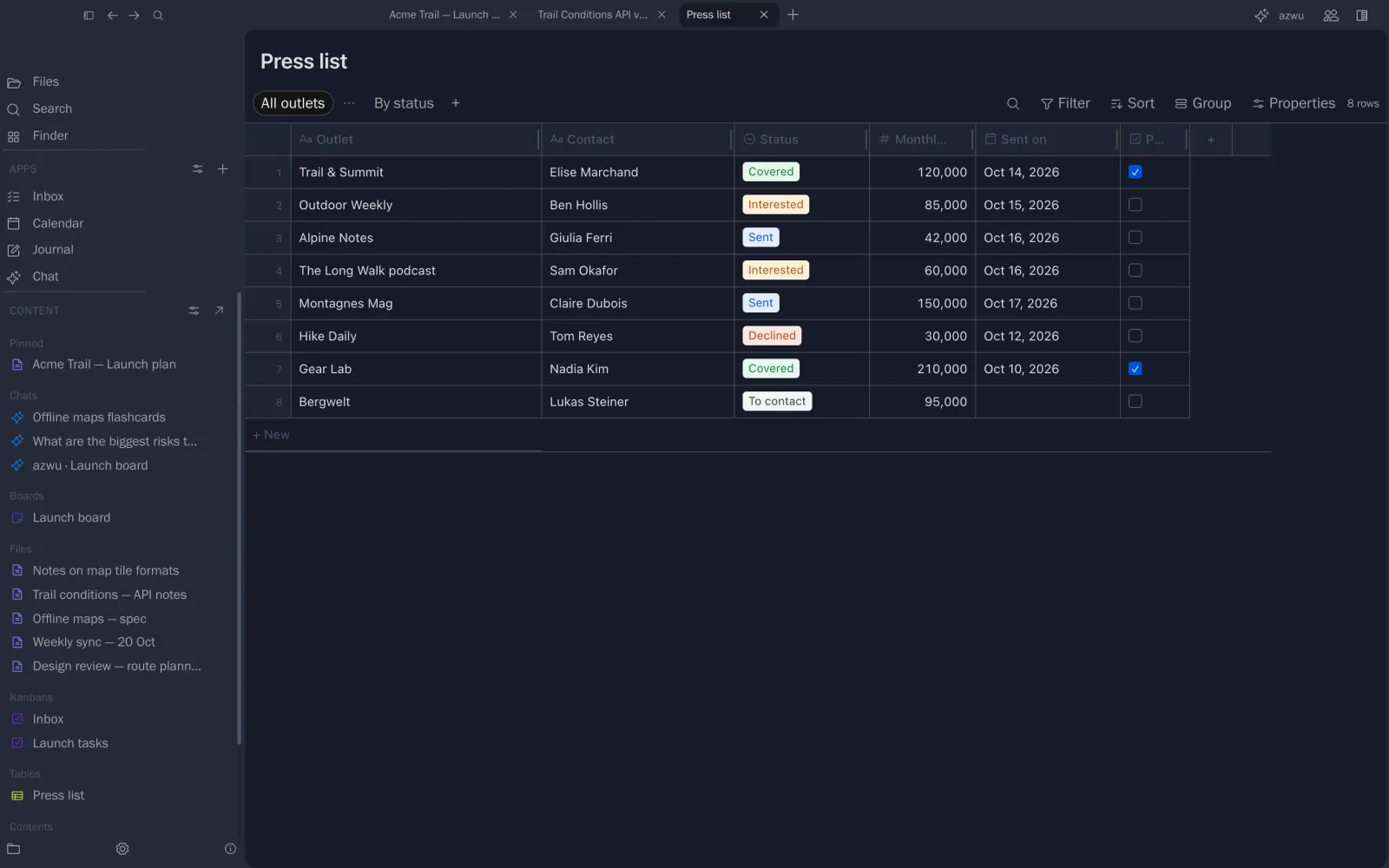
  • Select, number, date, checkbox and more
  • Several views of the same rows
  • Live with your team

The press list.

The press list table
12Ask and study

Answers from your notes, and decks from them too.

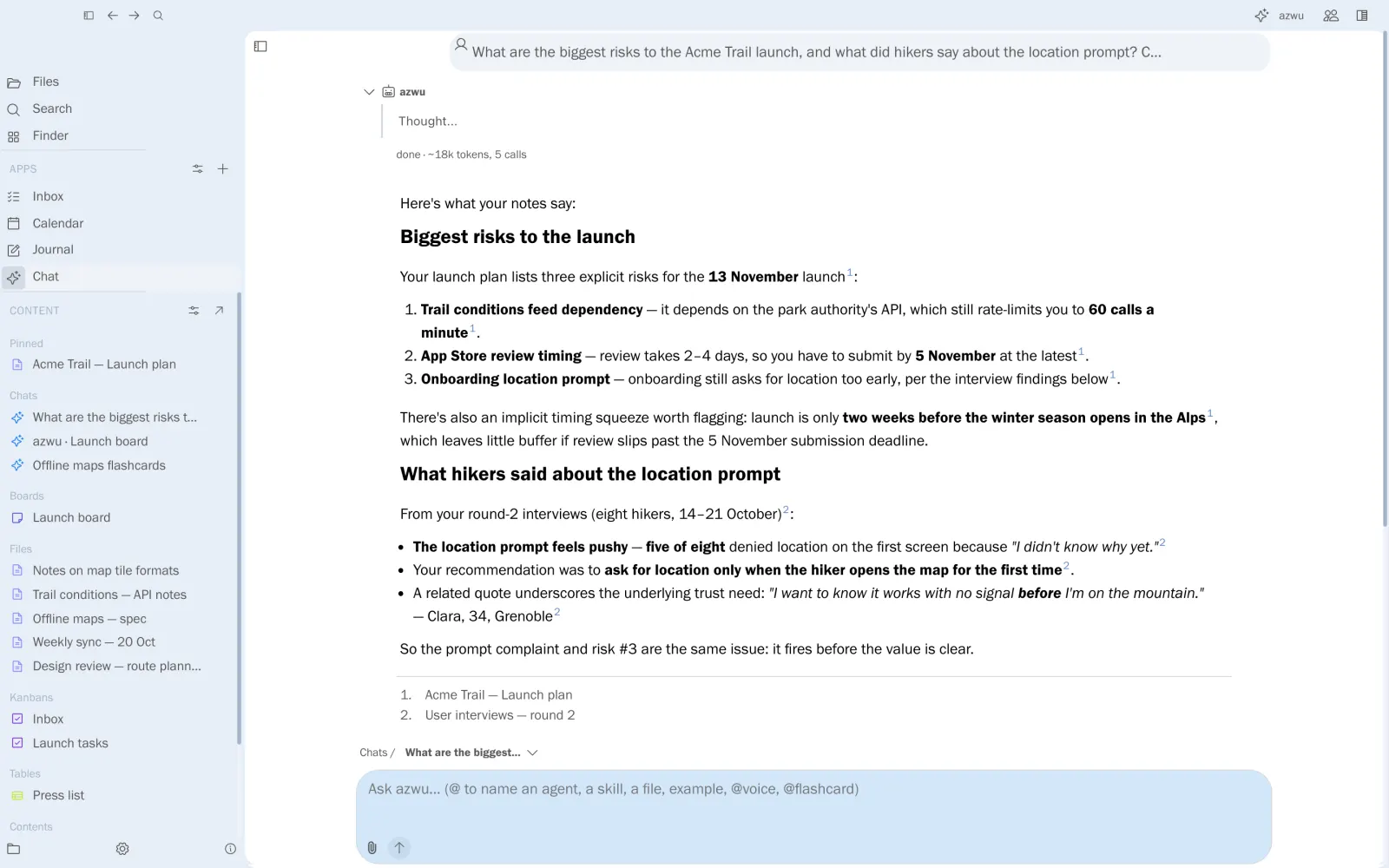
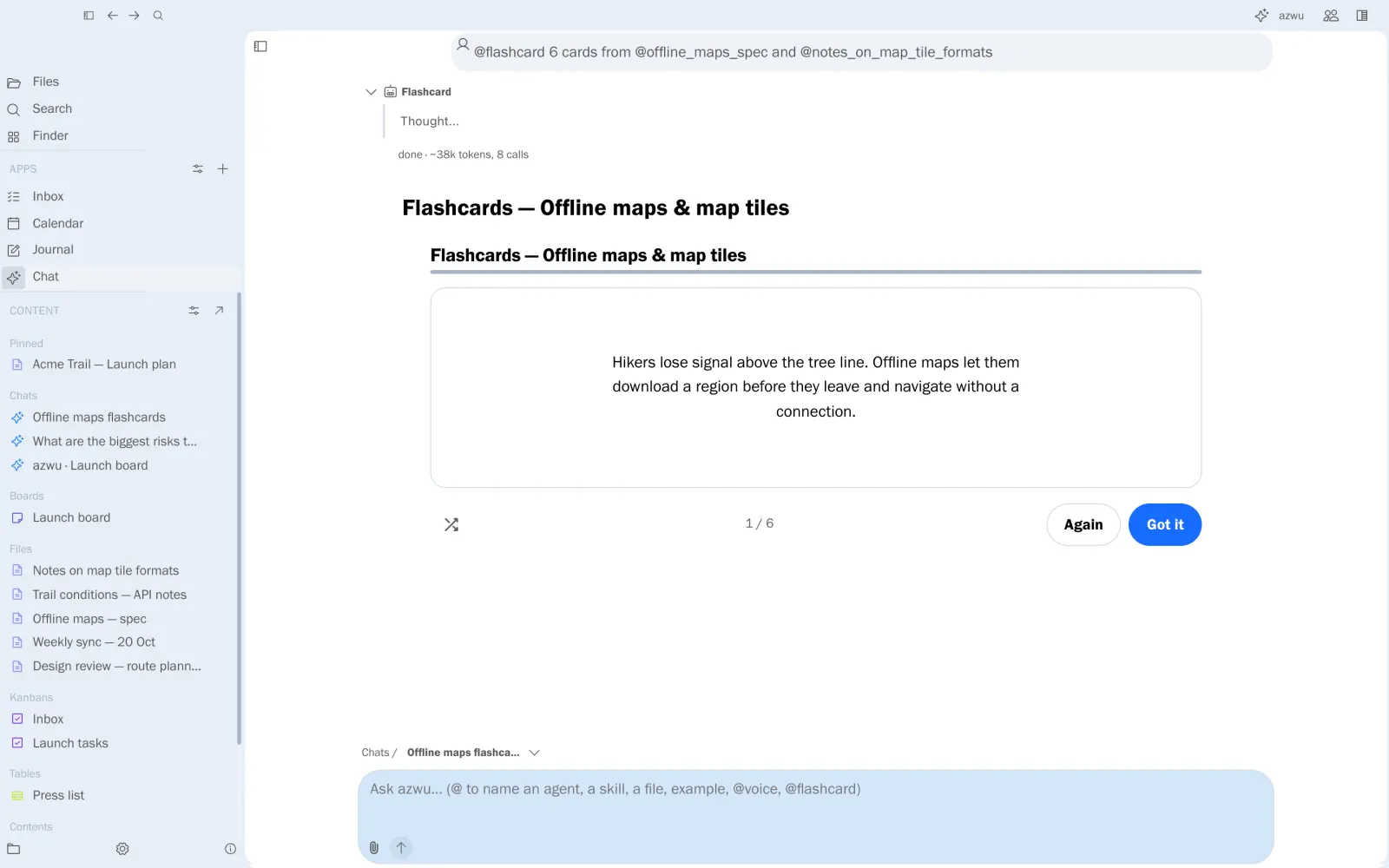
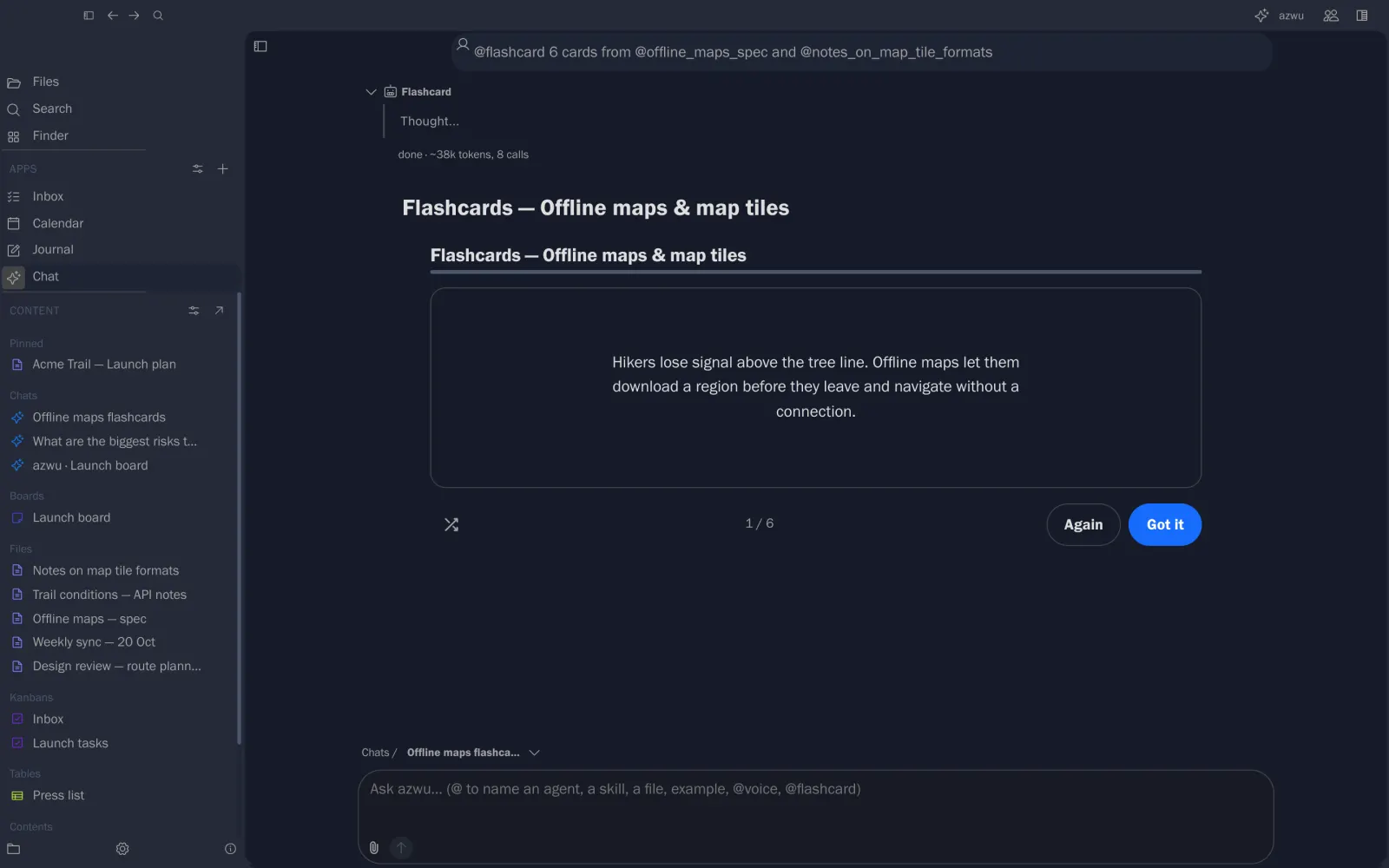
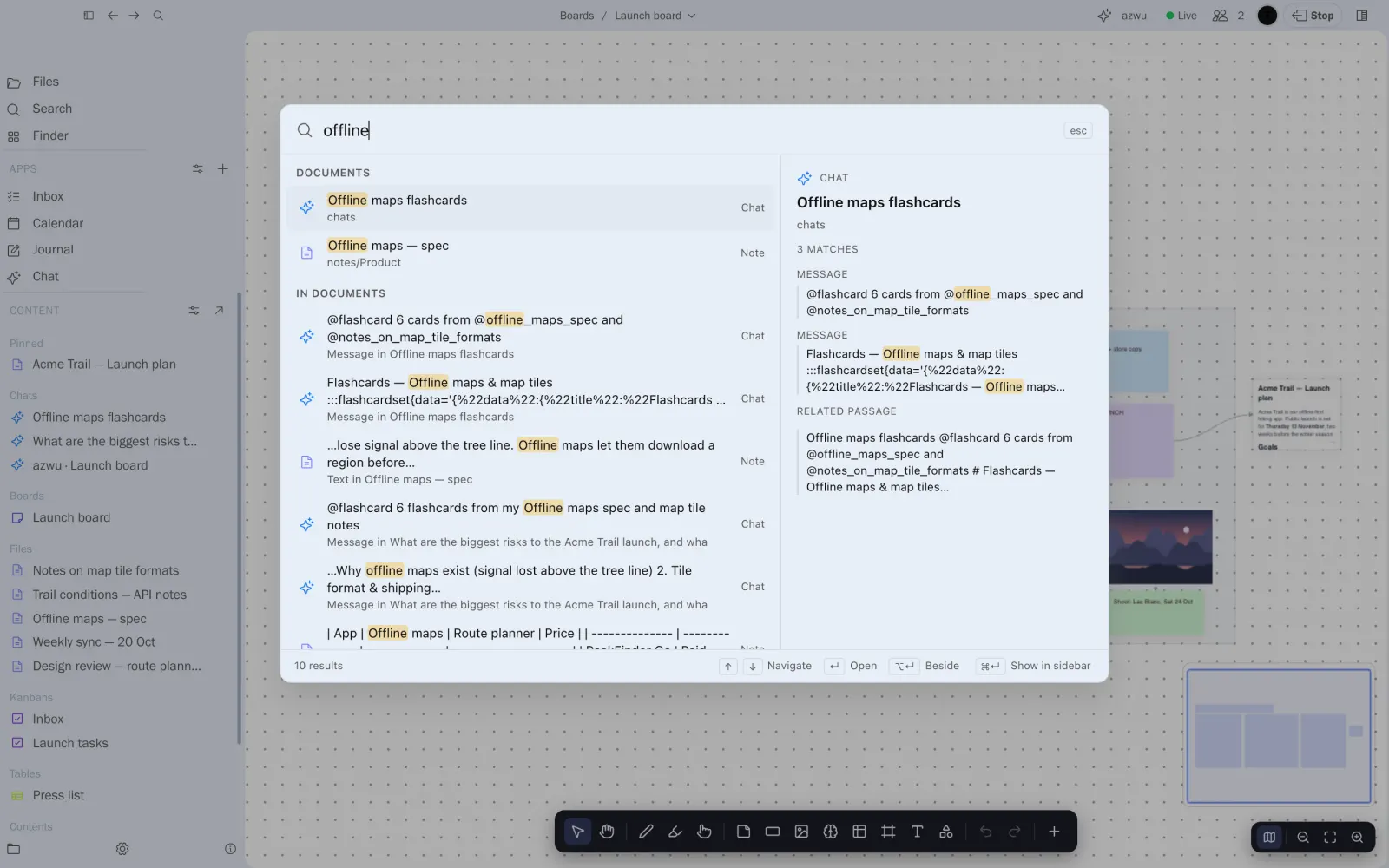
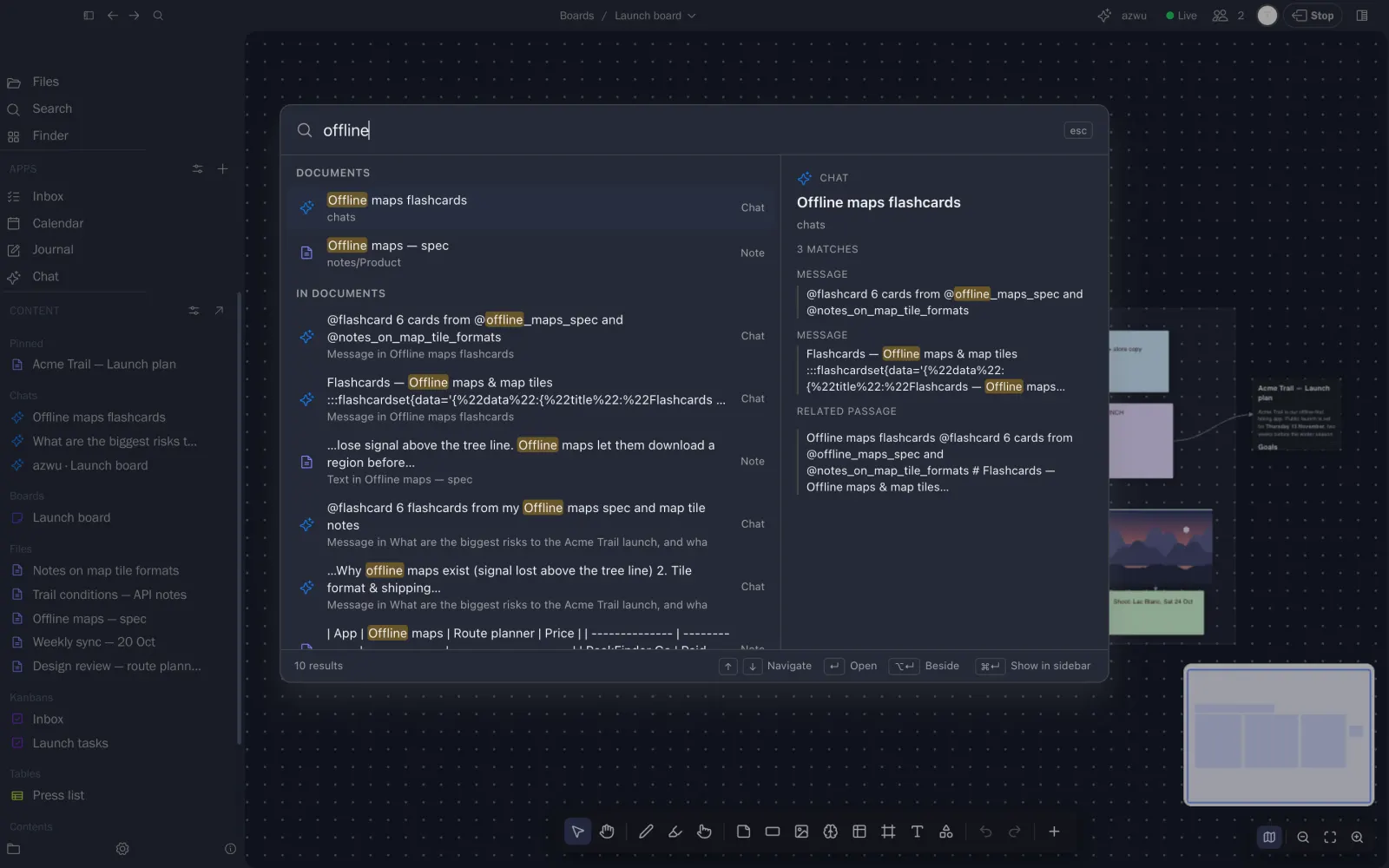
Ask across the vault and check each claim against its numbered source. Mention @flashcard to turn notes into a deck you can practise.

  • Cited answers
  • Flashcards, quizzes and FAQs
  • Built from the notes you mention

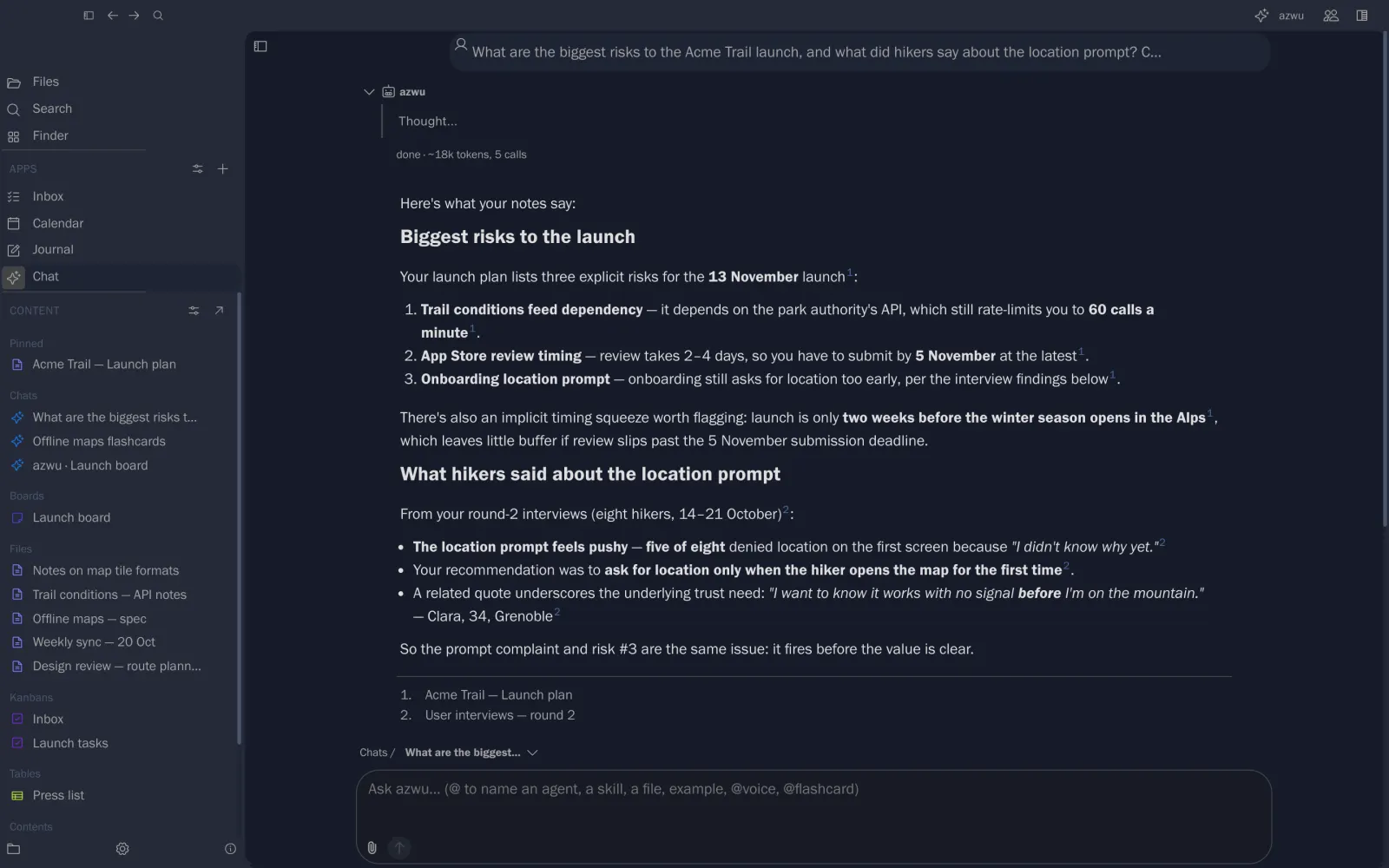
Launch risks answered from the plan, and an offline maps deck.

azwu answering with numbered sources
An interactive flashcard deck

Bring your own week to Pinfig.

Start with an empty vault or point Pinfig at a folder of Markdown you already have.